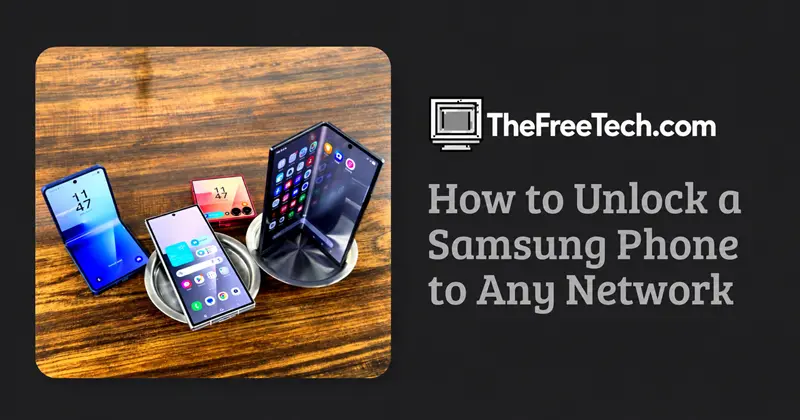
How to Unlock a Samsung Phone to Any Network

To unlock a Samsung phone to any network, contact the carrier that originally sold or locked the phone and request a network unlock. Depending on the carrier and device, the unlock may be completed remotely, through an unlock code, or using another carrier-approved process. Samsung advises customers to contact their original network provider or retailer for network unlocking assistance. Samsung's official guidance.
Once the restriction is removed, you can use a compatible SIM card or eSIM from another network, subject to the phone's hardware compatibility and any other restrictions.
1. Check whether your Samsung phone is network-locked
Before requesting an unlock, test whether your phone actually has a network restriction.
Turn off your Samsung phone.
Remove the current SIM card, if your model uses a physical SIM.
Insert an active SIM card from another mobile network.
Turn the phone back on.
Check whether it connects to the new network or displays a message such as SIM network unlock PIN or Network unlock code.
If the phone requests a network unlock code, it may be carrier-locked. If it accepts the SIM but cannot connect, the problem may instead involve activation, network coverage, device compatibility, or a blocked IMEI.
2. Get your Samsung phone unlocked by the original carrier
This is the recommended first option because it avoids unnecessary software modifications and potentially unreliable third-party services.
Step 1: Find your IMEI number
Your IMEI identifies your mobile device. You may need it when requesting an unlock.
You can find it by:
Opening the Phone app and dialing
*#06#.Going to Settings → About phone → IMEI. Menu names may vary by model.
Keep the IMEI private and provide it only to a legitimate carrier or authorized support provider.
Step 2: Contact the original network provider
Contact the carrier that originally sold the phone or placed the network restriction on it. Ask for a network unlock or SIM unlock.
Have the following information ready:
Samsung model number.
IMEI number.
Proof of purchase, if requested.
Original account or contract details, if applicable.
The carrier may check whether the phone has been paid off, whether the account meets its eligibility rules, and whether the device has been reported lost or stolen.
Unlocking policies, fees, and processing times vary by carrier and country.
Step 3: Follow the carrier's instructions
The carrier may unlock the phone remotely or provide a code. Follow the instructions for your specific Samsung model.
If the carrier confirms that the device is unlocked remotely, restart the phone and test it with another active SIM card.
3. How to enter a Samsung network unlock code
If your carrier supplies an unlock code, use the following general procedure:
Turn off the phone.
Insert a SIM card from a different network.
Turn on the phone.
Wait for the network unlock prompt.
Enter the unlock code supplied by the carrier.
Tap Unlock, OK, or the equivalent option.
Restart the phone if necessary and test calls, messages, and mobile data.
The exact prompt and process depend on the device and software version.
Important: Do not guess the code or repeatedly enter random numbers. Some devices limit incorrect attempts, and certain additional codes are intended for specialized service procedures. If the code fails, stop and contact the provider that supplied it.
4. Can you unlock a Samsung phone for free?
Yes, in some cases. The original carrier may provide a free unlock if the phone meets its eligibility requirements. Other providers may charge a fee or impose specific conditions.
To avoid unnecessary costs:
Check the original carrier's official unlocking policy.
Ask whether the phone qualifies for a free unlock.
Resolve any outstanding account or device-payment requirements.
Request the official procedure before paying a third-party unlocking website.
Samsung itself generally directs users to the original carrier or retailer for network unlock codes.
5. What if the original carrier cannot unlock your phone?
The next step depends on why the request was unsuccessful.
If you bought the phone secondhand: Ask the seller for the original carrier and proof of purchase. The carrier may still be able to confirm whether the phone is eligible for unlocking.
If the original carrier no longer operates: Contact its successor, parent company, or an authorized service provider to ask whether it can process legacy unlock requests.
If the phone was imported from another country: Confirm the original sales region and exact model number. A phone can be unlocked but still lack support for some local network frequencies or carrier services.
If the IMEI is blocked: Network unlocking will not necessarily remove a blacklist restriction. Contact the carrier or seller to resolve the underlying issue.
Avoid services that promise to unlock every Samsung model instantly without checking the IMEI, original carrier, or device eligibility.
6. Troubleshooting Samsung network unlock problems
| Problem | What to do |
|---|---|
| The phone asks for a SIM PIN | Obtain the SIM PIN from the SIM provider. This is different from a network unlock code. |
| The phone asks for a network unlock PIN | Request the correct unlock procedure from the original carrier. |
| The unlock code is rejected | Stop entering codes and contact the provider to verify the code and device eligibility. |
| The new SIM is not detected | Check that the SIM is active, correctly installed, and supported by the device. |
| The phone shows no service after unlocking | Check coverage, network settings, supported frequency bands, and IMEI status with the carrier. |
| Calls work but mobile data does not | Check the carrier's APN settings and mobile-data configuration. |
A factory reset is not the standard solution for a carrier network lock. Resetting your phone may erase personal data without removing the restriction.
7. Will an unlocked Samsung phone work on every network?
Not necessarily. An unlocked phone can accept SIM cards from different carriers, but it must also support the carrier's network technology and frequency bands.
Before switching networks, verify:
The exact Samsung model number, not just the Galaxy product name.
Compatibility with the new carrier's LTE or 5G bands.
Support for VoLTE and other required calling services.
Whether the carrier accepts the device's IMEI.
Whether the phone's physical SIM or eSIM configuration is supported.
These checks are especially important when using an imported Samsung phone in another country.
FAQ
Can I unlock my Samsung phone without the original SIM card?
Often, yes. The original SIM card may not be necessary if the carrier can verify the device using its IMEI and other required information. The exact process depends on the provider.
Does unlocking a Samsung phone erase my data?
A normal carrier unlock generally does not require a factory reset. However, follow the carrier's instructions and back up important data before performing any separate troubleshooting procedure.
Can I unlock my Samsung phone with a code?
Some carrier-locked Samsung models use a network unlock code. Other models or carriers may use a different process. Obtain the code or instructions from the original carrier rather than guessing.
Is rooting required to unlock a Samsung phone?
No. Rooting is not normally required for a carrier network unlock. Start with the official carrier process, which is safer and avoids unnecessary modifications to the phone's software.
What is the difference between a SIM PIN and a network unlock PIN?
A SIM PIN protects access to the SIM card itself. A network unlock PIN removes a carrier restriction on the handset. They are different credentials and cannot be used interchangeably.
How long does it take to unlock a Samsung phone?
The time varies by carrier and device. Some requests are processed quickly, while others require eligibility checks or additional support.
The best next step: Identify the original carrier, check your phone's exact model number, and request a network unlock. Once the carrier confirms the restriction has been removed, test the phone with an active SIM from the network you want to use.