Free Spotify to MP3 Converter: What Still Works in 2026

There is no official free Spotify-to-MP3 converter. Spotify does not allow exporting its catalog as unprotected MP3 files. Every free tool that claims to do so either records the audio, matches tracks on YouTube, or circumvents Spotify’s DRM, all of which violate Spotify’s Terms of Service and, in many countries (including the US under the DMCA), copyright law.
If you only need a few songs for personal offline listening and accept the risks, the most practical free routes in 2026 are:
- spotDL (open-source command-line tool): best for tech-comfortable users who want batch playlists with metadata
- Audacity (record while playing): completely free, no third-party converter, works on any account
- Free online converters (SpotiDownloader, SpotifyMate, Spowload, etc.): convenient for one or two tracks but frequently loaded with ads, redirects, and variable quality
How Free Converters Actually Work
Spotify streams encrypted audio. Offline downloads in the official app are also DRM-protected and only play inside Spotify. Free converters cannot legally decrypt that stream. Instead they typically:
- Take the Spotify track/playlist link
- Search for a matching version on YouTube (or similar sources)
- Download and re-encode that audio as MP3
This is why claimed “320 kbps” files often measure lower, why some tracks fail or mismatch, and why metadata can be incomplete. Desktop “converters” that require a Spotify login usually record the stream or use similar matching under the hood.
Free Options That Still Work in 2026
1. spotDL (recommended free desktop option for technical users)
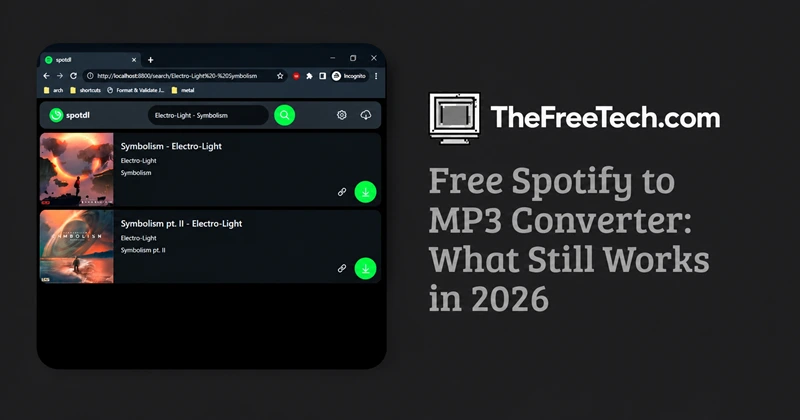
Open-source tool available on GitHub (spotDL/spotify-downloader). It matches Spotify tracks to YouTube sources, downloads them, and embeds album art + metadata.
- Completely free and open-source
- Supports single tracks, albums, playlists, and artists
- Runs on Windows, macOS, Linux
- Requires Python + FFmpeg (or a pre-built executable)
Installation is a one-time command (pip install spotdl). Then run:
spotdl download [Spotify URL]
Limitation: audio quality depends on the YouTube source (usually not true Spotify 320 kbps). You must be comfortable with a terminal or the simple web UI that launches by default.
2. Audacity (pure recording method)
Free, open-source audio editor. Play the Spotify track (or playlist) and record the system audio in real time.
- Zero risk of malware from converter sites
- Works with Free or Premium accounts
- Output quality matches whatever you stream
Drawbacks: real-time only (a 1-hour playlist takes 1 hour), no automatic metadata, and you must carefully set system sound so only Spotify is captured.
3. Free online converters
Sites such as SpotiDownloader, SpotifyMate, Spowload, and similar tools let you paste a link and download an MP3 without installing software.
In independent tests they frequently show:
- Aggressive ads and redirects
- Limited or no true batch support without payment
- Incomplete metadata
- Actual bitrates often below the advertised 320 kbps
Use only if you need one or two tracks and run an ad-blocker + antivirus. Never enter your Spotify password on these sites.
Decision Guide
| Your situation | Best free approach | Why |
|---|---|---|
| Comfortable with terminal / Python | spotDL | Batch + metadata, open-source |
| Want zero third-party risk | Audacity recording | Completely local |
| Just 1–2 songs, no install wanted | Online converter (with caution) | Fastest for tiny jobs |
| Need high reliability & quality | Spotify Premium offline | Official, legal, true quality |
| Building a large permanent library | Buy tracks or use legal stores | Only way to own the files |
Spotify Premium offline downloads remain the only officially supported method:
- Up to 10,000 tracks per device
- Up to 5 devices
- Must go online at least once every 30 days
- Files stay encrypted and play only inside the Spotify app
Other legal options:
- Purchase individual tracks or albums from stores that sell DRM-free MP3/FLAC (Bandcamp, Amazon, 7digital, artist sites)
- Use Spotify’s Local Files feature for music you already legally own
- Switch to services that offer true offline file ownership if that is your main need
FAQ
Do I need Spotify Premium for free converters?
No. Most free tools work with Free accounts because they do not use Spotify’s stream.
Will using a converter get my account banned?
Spotify’s Terms prohibit ripping and circumvention. Detection is not guaranteed, but the risk exists and the activity violates the contract you agreed to.
Is the audio quality the same as Spotify?
Usually not. Free tools almost always re-encode from a third-party source, so quality is variable and often lower than a true 320 kbps Spotify stream.
Are online converters safe?
Many are not. Independent tests regularly find redirects, pop-ups, and low-quality or incomplete files. Prefer open-source tools you can inspect (spotDL) or pure local recording (Audacity).
If your goal is simply reliable offline listening, Spotify Premium’s built-in downloads are the cleanest solution. If you specifically need portable MP3 files you own, the only fully legal path is purchasing the music.