7 Best Free Chem Drawing Software Tools for Students and Researchers

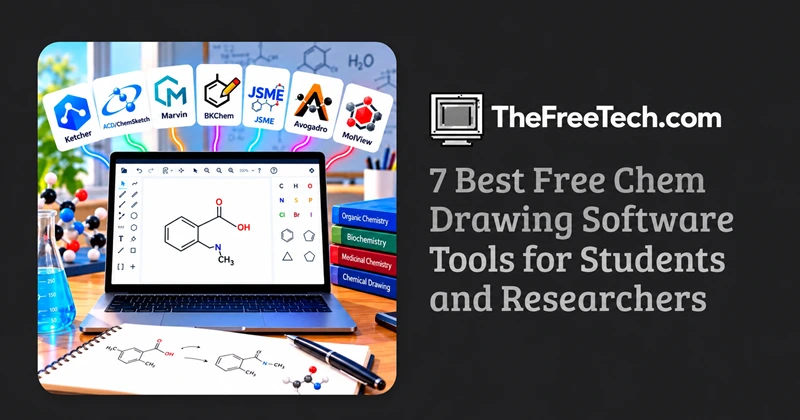
If you need free chem drawing software to create molecular structures, reaction schemes, or chemistry diagrams, several tools are worth considering. Ketcher is a strong starting point for browser-based drawing, while ACD/ChemSketch, Marvin, and BKChem offer alternatives depending on your workflow and licensing requirements.
The best choice depends on whether you need a quick sketch, an editable chemical structure, a reaction scheme, or a polished diagram for an academic paper.
7 Free Chemical Drawing Tools to Consider
| Software | Access | Best for |
|---|---|---|
| Ketcher | Browser-based or integrated into other applications | Drawing chemical structures online |
| ACD/ChemSketch | Desktop | General-purpose chemical drawing |
| Marvin | Web and desktop options, depending on product and availability | Chemical structures and reactions |
| BKChem | Desktop | Open-source chemical drawing |
| JSME Molecular Editor | Browser-based | Lightweight molecular structure editing |
| Avogadro | Desktop | Molecular building, visualization, and computational chemistry workflows |
| MolView | Browser-based | Exploring and visualizing molecular structures |
1. Ketcher — Best starting point for online chemical drawing
Ketcher is a chemical structure editor designed for drawing and editing molecular structures. It is particularly useful when you want to work in a browser or use a chemical editor integrated into another application.
Best for: Students, researchers, and users who prefer not to install desktop software.
Key considerations:
Draw and edit chemical structures.
Work with molecular representations and reaction schemes, depending on the implementation.
Use supported chemical-data formats where provided by the host application.
Check the specific version for image export and other available features.
Official website: https://lifescience.opensource.epam.com/ketcher/
2. ACD/ChemSketch — A desktop option for chemistry diagrams
ACD/ChemSketch is a chemical drawing application used to create molecular structures and chemistry illustrations. Its availability and licensing conditions depend on the edition and intended use.
Best for: Students and users looking for a dedicated desktop chemical drawing application.
Before installing it, check:
Whether the current edition is free for your intended use.
Which export formats are supported.
Whether the version runs on your operating system.
Whether any features require a paid edition.
Official website: https://www.acdlabs.com/
3. Marvin — For chemical structures and reaction workflows
Marvin is associated with chemical structure editing and visualization tools from ChemAxon. Product availability, licensing, and access options can differ between versions and products.
Best for: Users who need more than simple sketches and want to investigate a broader chemical drawing workflow.
Consider Marvin if you need to:
Draw molecular structures and chemical reactions.
Work with structured chemical representations.
Integrate chemical drawing into a research or educational workflow.
Check the current product documentation and license terms before selecting it as a free solution.
Official website: https://chemaxon.com/
4. BKChem — An open-source chemical drawing alternative
BKChem is an open-source chemical drawing program intended for creating two-dimensional chemical structures and diagrams.
Best for: Users interested in open-source desktop software.
Its open-source nature can be attractive to users who want software they can inspect or adapt. However, compatibility with modern operating systems and the current state of maintenance should be checked before adopting it for a new project.
Look into BKChem if your priority is a lightweight, open-source approach rather than a modern, integrated chemistry platform.
Project website: https://bkchem.zirael.org/
5. JSME Molecular Editor — A lightweight browser-based editor
JSME is a JavaScript molecular editor that can be embedded in web applications. It is useful for simple molecular structure input rather than replacing every feature of a full chemical drawing suite.
Best for: Web-based molecular input, educational exercises, and lightweight applications.
Its main advantage is its browser-oriented design. However, its available features depend on the implementation, so confirm whether the version you use supports the editing and export functions you need.
Project website: https://jsme-editor.github.io/
6. Avogadro — For molecular modeling and visualization
Avogadro is an open-source molecular editor and visualization application. It is particularly useful when your work involves three-dimensional molecules, molecular geometry, or computational chemistry.
Best for: Students and researchers who need molecular modeling alongside structure editing.
Avogadro is a better fit for building and examining three-dimensional molecular models than for every type of polished, two-dimensional publication diagram.
Choose it when your workflow involves molecular geometry or computational chemistry, not just drawing conventional reaction schemes.
Official website: https://avogadro.cc/
7. MolView — For exploring and visualizing molecules online
MolView is a browser-based molecular visualization tool that helps users explore chemical structures without beginning with a full desktop installation.
Best for: Students, educators, and users who want to inspect molecular structures online.
It can be useful for learning about molecules and exploring their structural representations. However, check its current drawing, editing, and export capabilities before choosing it as your main tool for producing publication-ready chemical illustrations.
Website: https://molview.org/
How to choose the right free chemistry drawing software
Instead of choosing a tool solely by popularity, start with the output you need.
| Your task | What to prioritize |
|---|---|
| Drawing a structure for homework | Simple interface and easy image export |
| Creating reaction schemes | Reaction arrows, labels, and multi-structure layouts |
| Preparing a scientific paper | Consistent formatting and high-quality vector export |
| Sharing editable structures | Support for formats such as MOL, SDF, or SMILES, where appropriate |
| Building 3D molecular models | Molecular geometry and visualization features |
| Embedding a drawing tool in a website | Browser compatibility and integration options |
Browser-based or desktop software?
Choose a browser-based editor if you want to draw structures quickly without installing a program. This is convenient for classroom exercises, simple sketches, and collaborative workflows.
Choose desktop software if you need a dedicated working environment, more extensive editing features, or integration with other chemistry applications.
Before committing to either option, verify operating-system compatibility, file export, and any account or usage requirements.
Which File Formats Should You Look For
The export format matters because a chemical drawing may need to serve two different purposes: communicating visually and preserving the underlying chemical structure.
PNG: Convenient for documents, slides, and quick sharing.
SVG: Useful for scalable graphics and many publishing workflows.
PDF: Useful for sharing and printing diagrams, where supported.
MOL or SDF: Useful for storing chemical structure information in compatible applications.
SMILES: A text-based representation of molecular structures that can be transferred between compatible tools.
Not every application supports every format. Some formats also preserve different kinds of information: an image may retain the appearance of a molecule without preserving a fully editable chemical structure.
For research workflows, save an editable structure file whenever possible and export a separate image for your report or presentation.
FAQ
What is the best free chem drawing software?
Ketcher is a practical starting point for browser-based chemical drawing. ACD/ChemSketch and other desktop applications may be better suited to particular drawing workflows, subject to their current licensing terms.
Is there free chemical drawing software that works online?
Yes. Ketcher and JSME are examples of browser-oriented chemical structure editors. MolView is another option for online molecular exploration and visualization.
Can I use free chemistry drawing software for scientific papers?
Potentially, yes. Check the software's licensing conditions, available export formats, and the requirements of your target journal. SVG or PDF can be useful for vector graphics, while PNG may be sufficient for some applications.
Is free chemical drawing software the same as molecular modeling software?
No. Chemical drawing tools focus primarily on representing structures in two dimensions. Molecular modeling software may additionally support three-dimensional geometry, visualization, or computational workflows. Some applications overlap both categories.
Which file format should I save my chemical structures in?
Use a structure format such as MOL or SDF when you need to preserve editable chemical information and the selected application supports it. Use SVG, PNG, or PDF when you need a visual illustration.