Best Free Drawing App for iPad: 5 Apps Worth Trying

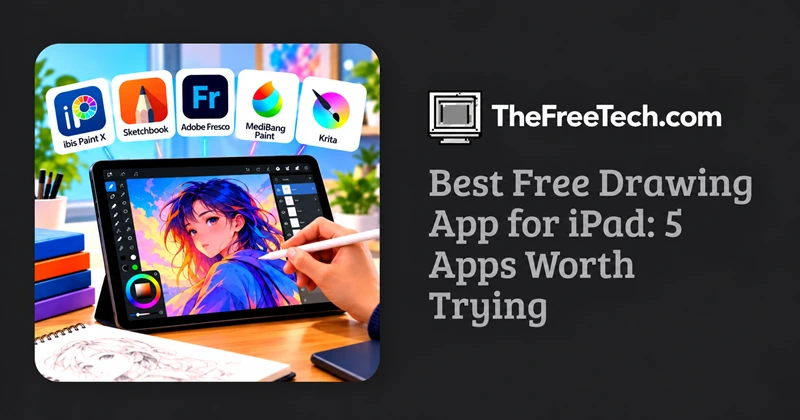
The best free drawing app for iPad depends on what you want to create. ibis Paint X is a strong starting point for digital illustration and manga, Sketchbook is worth considering for straightforward sketching, and Adobe Fresco offers a compelling option for painting and illustration. If you want a powerful, open-source art program, Krita is another option to investigate, provided its current iPad availability meets your needs.
You do not need to buy an expensive drawing app to start creating digital art. Several apps offer useful drawing tools for free, although some restrict premium brushes, advanced features, or other content behind in-app purchases.
5 Best Free Drawing Apps for iPad

ibis Paint X is a good choice for anime, manga, character design, and detailed digital illustrations. It offers a broad range of brushes, layers, and line-art tools.
Best for: Beginners and hobby artists who want plenty of illustration tools.
Watch out for: Ads and optional paid features may affect the free experience.
Availability and feature limits may vary by version.

Sketchbook focuses on a clean drawing interface with pencils, markers, brushes, and layers. Its uncluttered workspace makes it appealing for quick sketches and practicing drawing fundamentals.
Best for: Beginners, concept sketches, and artists who prefer a minimal interface.
Watch out for: Check the current iPad edition for any paid features before choosing it as your long-term app.

Adobe Fresco combines vector drawing with raster brushes, including painting tools designed to simulate traditional media. It is worth exploring if you want to experiment with watercolor-like effects or detailed illustrations.
Best for: Digital painters, illustrators, and artists interested in vector and raster workflows.
Watch out for: Confirm which features are free and whether any Adobe account requirements apply.

A useful option for comic pages, manga, and panel-based illustration. Its workflow is designed around drawing tools and comic-making features rather than only freehand sketching.
Best for: Comic artists and manga creators.
Watch out for: Some assets, services, or advanced features may require payment or an account.

Krita is known for its extensive painting brushes, layers, and illustration tools. It is open-source software, but that does not automatically mean the iPad has an official, fully supported version.
Best for: Artists who want a powerful, open-source painting workflow on a supported device.
Watch out for: Verify iPadOS compatibility and the installation source before choosing it. Do not assume the desktop version is available as a native iPad app.
Which Free Drawing App Should You Choose
Your main goal | App to try first |
|---|---|
Anime, manga, or character art | ibis Paint X |
Quick sketches and practice | Sketchbook |
Painting and mixed-media effects | Adobe Fresco |
Comics and panel layouts | MediBang Paint |
Open-source digital painting | Krita, if a suitable iPad version is available |
These are use-case recommendations, not the result of a controlled performance test. Features and free-tier restrictions can change.
What to Check Before Downloading
A free drawing app can be an excellent starting point, but the details matter.
Apple Pencil support: Check pressure sensitivity, tilt support, and whether your particular iPad and Pencil model are compatible.
Layers: Layers make it easier to edit sketches, line art, coloring, and backgrounds independently.
Brush selection: Look for pencils, ink pens, paintbrushes, and customizable brushes that match your style.
Export options: Confirm that you can save artwork in formats such as PNG or JPEG. If you need editable projects, check whether the app supports a layered file format.
Offline access: If you draw while traveling, find out whether the main drawing tools work without an internet connection.
Free-tier limits: Check for ads, paid brush packs, subscriptions, watermarks, and restrictions on exporting or saving.
Practical tip: Start with one app and create the same small drawing in it: a rough sketch, clean line art, and a colored layer. This simple exercise helps you evaluate the interface and tools before investing time in a larger project.
FAQ
What is the best completely free drawing app for iPad?
That depends on what you mean by completely free. Some apps provide substantial drawing functionality without payment but include ads, optional purchases, or premium tools. Check the current App Store listing and in-app purchase details before assuming an app is entirely free.
Can I draw on an iPad without an Apple Pencil?
Yes. Many drawing apps support finger drawing. However, an Apple Pencil can offer more precise control, and compatible models may support pressure sensitivity and tilt.
Is Procreate free on iPad?
No. Procreate is a paid app rather than a free drawing app. It may be worth considering if you later decide to pay for a dedicated illustration tool.
Which drawing app is easiest for beginners?
Sketchbook is worth trying if you prefer a simple interface. ibis Paint X is another good starting point if you want a larger selection of illustration tools and do not mind a more feature-rich workspace.
Do free drawing apps support high-quality artwork?
Yes. Free drawing apps can support detailed digital artwork, but results depend on the app's tools, canvas settings, device capabilities, and your workflow. Check maximum canvas dimensions, layer limits, and export quality if you intend to print your artwork.