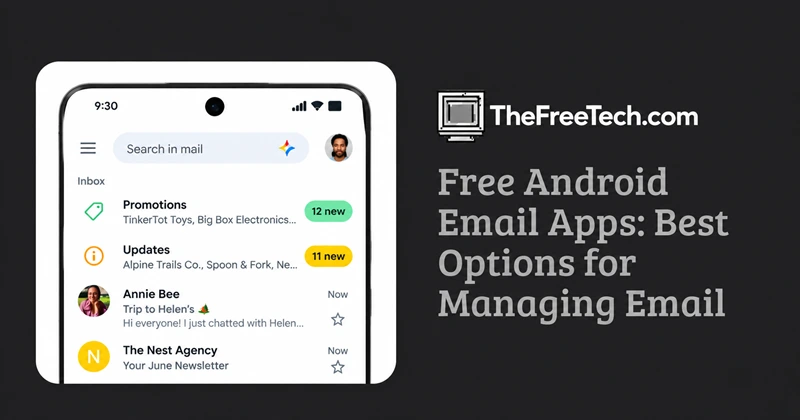
Free Android Email Apps: Best Options for Managing Email

If you want a free Android email app, the right choice depends mainly on which email accounts you use and how much control you want.
For straightforward Gmail use, Gmail is the obvious starting point. Outlook makes sense for people who use Microsoft accounts or want a broader productivity-oriented inbox. Users looking for more control or privacy may want to consider independent Android email clients such as FairEmail or Thunderbird for Android, subject to their current features and compatibility.
The important distinction is that an email app is a client for accessing your existing accounts. It is not necessarily the same thing as an email service. You can often use one Android app to manage accounts from several providers.
What Makes an Android Email App Worth Using
Before installing an app, check five things:
- Account support: Can it connect to the providers you actually use?
- Multiple accounts: Useful if you have personal, work, school, or secondary addresses.
- Free-tier limits: Some apps are free to install but reserve advanced features for paid users.
- Privacy: Check the developer's privacy disclosures rather than assuming that every third-party client handles data the same way.
- Security: Look for appropriate authentication and account-protection features.
An app with dozens of features is not necessarily more useful if you only need to read, reply to, and organize messages.
Free Android Email Apps to Consider
Gmail
Gmail is the natural option for people who primarily use Google accounts. Its main advantage is integration with the wider Google ecosystem and a familiar interface for Gmail users.
Good for: Gmail users who want a simple, integrated experience.
Consider instead: A third-party client if you need specialized controls, a different interface, or more privacy-oriented features.
Outlook
Outlook is Microsoft's email client and is particularly relevant for people who use Microsoft email accounts or work within Microsoft's productivity ecosystem.
Good for: Microsoft users and people who want email alongside broader productivity features.
Check before choosing: Whether its current Android feature set matches the way you manage personal and work accounts.
FairEmail
FairEmail is an independent Android email client designed for users who want more control over how email is displayed and managed.
Good for: Users who prioritize detailed configuration and control over a minimalist experience.
Consider: Its larger set of settings may be unnecessary if you only want a basic inbox.
Thunderbird for Android
Thunderbird provides an Android option for users familiar with the Thunderbird ecosystem.
Good for: People who want an independent email client and prefer greater control over their email setup.
Check: Supported account types and current mobile features before switching from a mainstream client.
Which Free Android Email App Should You Choose
Use your email setup as the deciding factor:
| If you mainly need… | Look for… |
|---|---|
| Simple Gmail access | A straightforward Gmail-focused client |
| Microsoft email | Strong Microsoft account support |
| Several email providers | Broad IMAP/provider compatibility and multi-account support |
| Detailed configuration | An independent client with extensive settings |
| Privacy-conscious email management | Clear privacy documentation and local-control options |
| A simple inbox | Minimal interface and reliable notifications |
There is no single feature that makes an email app right for everyone. Compatibility, privacy, usability, and free-tier restrictions matter more than the number of features listed on an app's store page.
Is a Free Email App Really Free
“Free” can mean several different things.
An app may be free to download while offering optional paid features. Another may be completely usable without payment but display advertising. A third-party client may also require you to use an existing email account whose own storage or service limits still apply.
Before switching, check the current Google Play listing and developer documentation for:
- Paid upgrades or subscriptions.
- Advertising.
- Account or feature restrictions.
- Supported email protocols and providers.
- Privacy and data-handling disclosures.
This is especially important because app pricing and features can change over time.
Can You Use Gmail with Another Android Email App
Often, yes. Many third-party email clients can connect to existing accounts, but the exact setup depends on the provider, authentication method, and the client's supported protocols.
If an account uses stronger authentication or organization-managed security policies, a third-party client may have different compatibility requirements from the provider's official app.
Are Third-party Android Email Apps Safe
Safety depends on the specific app and how it handles authentication and data.
Before installing one, look at the developer's identity, privacy documentation, update history, permissions, and authentication approach. For work or school accounts, also check whether your organization permits third-party email clients.
The safest choice is not automatically the app with the largest user base; it is the app whose security and privacy practices you can understand and whose capabilities match your account requirements.




