7 Best AI Meeting Note Takers in 2026

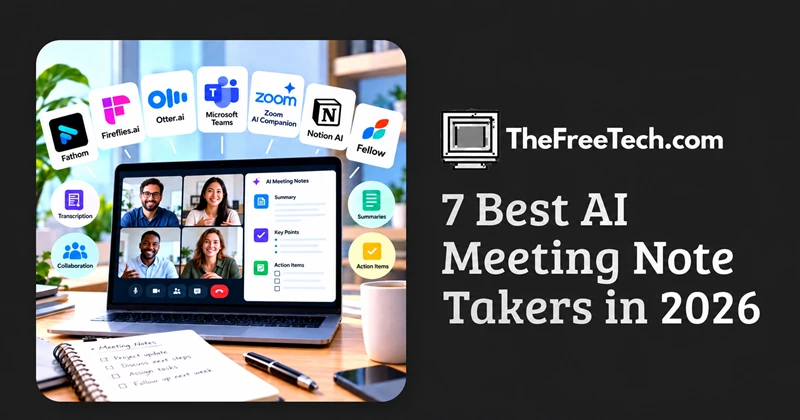
The best AI meeting note taker depends on what you need after a meeting. Fathom is a strong starting point for individuals who want free meeting recordings and summaries, Fireflies.ai suits users who need searchable meeting records and integrations, and Otter.ai is worth considering for live transcription and collaborative notes. If your organization already uses Microsoft Teams, check its built-in AI recap features before paying for another tool.
The right choice is not necessarily the tool with the most AI features. It is the one that captures your conversations accurately, identifies decisions and action items, and fits your existing workflow without creating extra work.
The Best AI Meeting Note Takers at a Glance
| Tool | Best for | Main strength | What to check |
|---|---|---|---|
| Fathom | Individuals and freelancers | Free recording and transcription | Limits on advanced summaries |
| Fireflies.ai | Teams and searchable meeting archives | Meeting search and integrations | Storage limits and AI-credit usage |
| Otter.ai | Live transcription and collaboration | Real-time notes and speaker identification | Monthly transcription limits |
| Microsoft Teams intelligent recap | Microsoft 365 organizations | Native meeting recaps and task summaries | Eligible licenses and feature access |
| Zoom AI Companion | Teams that primarily use Zoom | AI assistance within the Zoom workflow | Included features and plan eligibility |
| Notion AI Meeting Notes | Teams already organizing work in Notion | Meeting notes connected to a workspace | Recording requirements and plan access |
| Fellow | Structured team meetings | Agendas, action items, and meeting management | Which features require a paid plan |
Disclaimer: This is a shortlist based on product positioning and published capabilities, not a hands-on accuracy benchmark. Features, plan eligibility, and pricing can change.
1. Fathom — Best for individuals who want free meeting notes
Fathom is a practical first option for freelancers, consultants, founders, and professionals who want meeting recordings, transcripts, and summaries without immediately committing to a subscription.
Its individual free plan includes unlimited recordings and transcriptions. Advanced summaries and additional AI capabilities have separate plan limits, so unlimited recording should not be confused with unlimited access to every feature.
Why consider it
Record and transcribe supported Zoom, Google Meet, and Microsoft Teams meetings.
Generate meeting summaries and review recordings afterward.
Search past conversations and share relevant clips.
Explore paid options for advanced summaries, action items, and AI-assisted queries.
Potential drawback: Users who need customized summaries for every meeting or advanced team-wide controls may need a paid plan.
Best for: Individuals who want to try AI meeting notes without adding an immediate subscription cost.
Source: Fathom pricing
2. Fireflies.ai — Best for searchable meeting records
Fireflies.ai is worth considering when meetings generate information that people need to retrieve weeks or months later. Rather than treating each meeting summary as a standalone document, it helps users build a searchable record of conversations.
Why consider it
Transcribe meetings across supported conferencing platforms.
Search transcripts and revisit important discussion points.
Generate summaries and action items.
Connect meeting information with other business applications.
Use AI-powered queries to find information across meeting records.
Potential drawback: The free plan has storage and advanced-feature limitations. Some AI-powered workflows consume credits, so teams should check the exact feature limits before estimating total costs.
Best for: Teams with frequent customer calls, internal discussions, interviews, or recurring project meetings.
Source: Fireflies.ai pricing
3. Otter.ai — Best for live transcription and collaboration
Otter.ai is a strong candidate for people who want to follow a live transcript, review what was said, and collaborate on meeting notes afterward.
It supports meetings on Zoom, Microsoft Teams, and Google Meet, along with live transcription and speaker identification. Its paid plans add more transcription capacity, advanced workflows, and collaboration features.
Why consider it
Follow a transcript during a meeting.
Review speaker-attributed notes and summaries.
Search past meeting content.
Share notes and collaborate with colleagues.
Use mobile apps for supported recording and transcription workflows.
Potential drawback: The free plan has a monthly transcription allowance and limited file imports. Check supported transcription languages and your expected monthly usage before choosing a plan.
Best for: Students, professionals, interviewers, and teams that prioritize searchable transcripts and collaborative note-taking.
Source: Otter.ai pricing
4. Microsoft Teams intelligent recap — Best for Microsoft-centric organizations
Before purchasing a separate note-taking assistant, check whether your organization already has access to Microsoft Teams' meeting recap features.
Depending on the available license and meeting configuration, intelligent recaps can provide AI-generated summaries, tasks, mentions, and other meeting highlights.
Why consider it
Keep meeting recaps within an existing collaboration environment.
Reduce the need to move notes between separate applications.
Use eligible AI recap features alongside existing meeting recordings and transcripts.
Potential drawback: Intelligent recaps require an eligible Microsoft Copilot or Teams Premium license. Feature availability depends on licensing and organizational settings.
Best for: Organizations that already run most meetings in Microsoft Teams and want to minimize additional software.
Source: Microsoft Teams meeting recaps
5. Zoom AI Companion — Best for Zoom-first workflows
If most of your meetings happen in Zoom, investigate its built-in AI Companion capabilities before adding a third-party assistant.
Native AI features may simplify access to meeting summaries and follow-up information because they sit within the conferencing environment your team already uses.
Why consider it
Keep eligible AI meeting features close to your existing Zoom workflow.
Reduce the number of external tools involved in meeting documentation.
Evaluate native features before paying for a separate service.
Potential drawback: Available capabilities depend on your Zoom plan, account configuration, and the specific AI features enabled. Verify current eligibility and whether your required workflows are supported.
Best for: Teams that primarily use Zoom and want to keep meeting documentation within the same ecosystem.
6. Notion AI Meeting Notes — Best for teams that organize work in Notion
For teams that use Notion as their knowledge base or project workspace, meeting notes are most useful when they connect to ongoing projects, decisions, and tasks.
Notion is worth evaluating if your team wants meeting documentation to live alongside its existing working documents rather than in a separate archive.
Why consider it
Keep meeting information near related project documentation.
Organize notes within an established workspace.
Reduce manual copying between meeting records and internal documents.
Potential drawback: Confirm the current recording method, supported meeting workflows, and AI feature availability for your workspace plan before selecting it.
Best for: Project teams, product managers, and organizations that already use Notion as a central workspace.
7. Fellow — Best for structured meetings and action items
Fellow is worth evaluating for teams that want meeting preparation and follow-through to be as important as transcription.
Its meeting-management approach is relevant to recurring one-on-ones, team check-ins, planning sessions, and other meetings that need a consistent agenda and clear responsibilities.
Why consider it
Structure meetings around agendas and shared notes.
Track decisions and action items.
Connect meeting documentation to follow-up work.
Create more consistent processes for recurring meetings.
Potential drawback: Verify which AI note-taking, recording, and integration capabilities are included in your intended plan.
Best for: Managers and teams that want to improve the full meeting process, not just produce transcripts.
How to Choose the Best AI Meeting Note Taker
The most useful comparison starts with your workflow, not a feature count.
Choose based on your meeting platform
If you use one conferencing platform almost exclusively, start with its native AI capabilities. If your meetings span several platforms, a dedicated assistant may provide a more consistent experience.
Choose based on what happens after the meeting
Different users need different outputs:
Quick recap: A short summary of the discussion and main decisions.
Project coordination: Tasks, owners, deadlines, and unresolved questions.
Sales and customer success: Customer needs, objections, commitments, and CRM updates.
Research and interviews: Searchable transcripts, speaker attribution, and precise quotations.
Team knowledge management: Search across past meetings and connect insights to ongoing work.
A tool that generates excellent summaries but cannot transfer tasks into your workflow may save less time than a simpler tool with the right integrations.
Check the real cost of the free plan
Do not compare tools by the word “free” alone. Check these limits:
Number of recording or transcription minutes.
Access to advanced summaries.
Recording storage.
Transcript exports and downloads.
AI query or credit allowances.
Integrations and collaboration features.
Minimum seat requirements for teams.
For example, Fathom's free individual plan offers unlimited recordings and transcription but limits certain advanced AI features. Fireflies.ai's free plan offers unlimited transcription while imposing storage and advanced-feature limits. Those differences can matter more than the headline price.
Evaluate language support with your actual meetings
A published language list does not guarantee equal transcription quality across languages.
If your team speaks Indonesian and English in the same meeting, uses regional accents, or frequently switches languages, test those exact conditions. Check whether the tool supports mixed-language conversations, not merely separate transcription in each language.
Treat privacy as a selection criterion
Before connecting an AI note taker to work meetings, check:
Whether the assistant joins visibly or offers a supported bot-free recording method.
How recordings and transcripts are stored.
Who can access, export, or share the content.
Whether your organization can set retention and deletion policies.
How the provider uses meeting data for AI training.
Whether the service meets your organization's security and compliance requirements.
Obtain any required participant consent and follow applicable laws and workplace policies. A tool's security certification alone does not establish that every use of the tool is appropriate for confidential meetings.
A Practical Way to Test Meeting Note Takers Before Buying
Rather than relying only on product claims, run the same evaluation across three representative meetings.
Meeting 1: A routine team update
Check whether the summary separates announcements, decisions, and action items. Confirm that each task has the correct owner and deadline, when those details were stated.
Meeting 2: A discussion with overlapping speech or unfamiliar terminology
Review speaker attribution, names, numbers, technical terms, and any statements that could be misinterpreted. Do not assume that a fluent-looking summary is an accurate record.
Meeting 3: A multilingual or customer-facing conversation
Test the languages your team actually uses. Check whether the summary preserves customer commitments, important qualifications, and unresolved questions.
Score each tool against the same criteria:
| Criterion | What to check |
|---|---|
| Transcript quality | Are names, numbers, and technical terms correct? |
| Summary quality | Are the main decisions and context preserved? |
| Action items | Are tasks, owners, and deadlines accurate? |
| Search | Can you find a specific statement quickly? |
| Workflow fit | Do notes reach the right documents or systems? |
| Privacy | Can you control recording, access, and retention? |
| Total cost | Do the required features fit your budget? |
This is a proposed evaluation method, not a claim that the tools have been independently tested here. Your results will be more useful than a universal ranking based on unverified accuracy claims.
FAQ
What is the best free AI meeting note taker?
Fathom and Fireflies.ai are useful starting points for people who want to test AI-generated meeting notes without paying upfront. Compare their recording, transcription, storage, and advanced-feature limits before deciding.
Can an AI meeting note taker work with Zoom, Google Meet, and Microsoft Teams?
Several dedicated tools support all three platforms, including Fathom, Fireflies.ai, and Otter.ai. However, the exact recording method and feature availability can differ by platform and subscription.
Are AI meeting notes accurate enough for business decisions?
They can be useful for routine documentation, but they should not be treated as infallible records. Review critical figures, contractual commitments, sensitive statements, and decisions before sharing or acting on them.
Can AI meeting note takers handle Indonesian?
Some tools advertise Indonesian transcription or broader multilingual support. Verify the current supported-language list and test Indonesian speech, regional accents, and Indonesian-English code-switching using representative recordings.
Should I use a built-in meeting assistant or a separate AI note taker?
Start with the built-in option if it already covers your needs and meets your organization's requirements. Choose a separate tool when you need cross-platform support, stronger meeting search, specialized workflows, or integrations that your existing platform does not provide.
Do I need a paid plan?
Not necessarily. A free plan may be enough for personal meetings and straightforward summaries. Paid plans become more relevant when you need higher usage limits, exports, advanced AI features, team collaboration, integrations, or administrative controls.