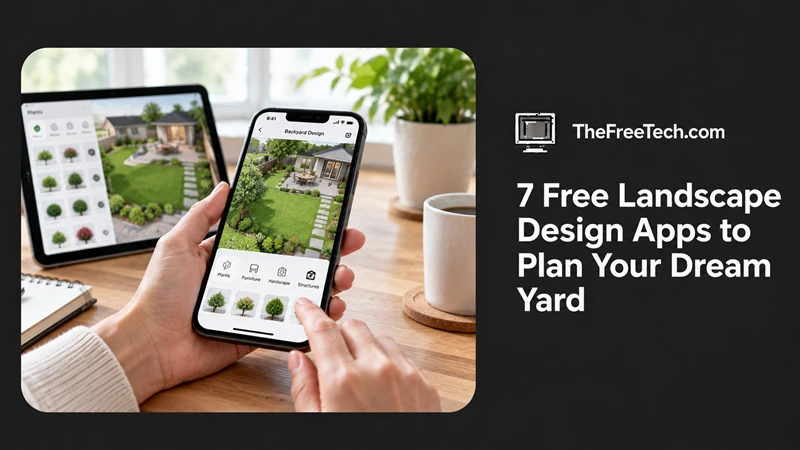
7 Free Landscape Design Apps to Plan Your Dream Yard

The best free landscape design apps let you plan a garden, arrange plants, design a patio, or visualize a complete backyard makeover without hiring a professional designer. Some offer simple 2D layouts, while others provide 3D models or realistic previews of your outdoor space.
The right choice depends on what you want to design. If you need a straightforward garden layout, a simple planning tool may be enough. For a larger project involving a deck, pool, or outdoor kitchen, look for software with 3D visualization and customizable objects.
Here are seven landscape design apps and tools worth considering, along with their strengths, limitations, and ideal uses.
Best Free Landscape Design Apps at a Glance
| App or tool | Best for | What to check |
|---|---|---|
| Planner 5D | 3D backyard and patio layouts | Free-plan limits and landscape objects |
| SketchUp Free | Custom outdoor structures | Learning curve and browser requirements |
| HomeByMe | Visualizing outdoor living areas | Current landscaping features and free credits |
| Garden Planner | Simple garden bed layouts | Free trial versus ongoing free access |
| Plan-a-Garden by Better Homes & Gardens | Garden layout inspiration | Current availability and supported features |
| iScape | Visualizing landscaping on real photos | Free versus paid features |
| SmartDraw | Scaled landscape and property plans | Free trial and subscription restrictions |
Important: Free access does not always mean unlimited use. Some tools offer a permanent free plan, while others provide a trial, limited projects, or paid upgrades. Check the current terms before investing time in a design.
1. Planner 5D — Best for 3D Backyard Design
Planner 5D is a home and outdoor design tool that helps users build layouts and visualize spaces in three dimensions.
Best for: Homeowners planning a backyard renovation, patio, garden seating area, or outdoor entertaining space.
Key features to explore include:
2D floor plans and 3D visualization.
Customizable layouts and design objects.
Visual planning for outdoor furniture and structures.
Browser-based access and supported mobile options.
Potential limitation: Some objects, rendering features, and design capabilities may require a paid plan.
Choose Planner 5D if you want to understand how different outdoor elements might look together before buying materials or moving furniture.
Official website: https://planner5d.com/use/landscape-design-software
2. SketchUp Free — Best for Custom Outdoor Structures
SketchUp Free is a browser-based 3D modeling tool that can be used to design decks, pergolas, raised garden beds, fences, and other outdoor structures.
Best for: DIY homeowners who need more control over dimensions and custom shapes.
What makes it useful:
Build custom 3D objects rather than relying only on predefined layouts.
Explore proportions and spatial relationships.
Model outdoor structures and furniture.
Work in a browser without installing the full desktop application.
Potential limitation: SketchUp requires more practice than dedicated garden planners. Its free web version also has different capabilities from its paid products.
If your project involves a pergola, retaining wall, or unusual patio shape, SketchUp Free can be a useful starting point. It is less suitable if you want an automatic, plant-focused garden design.
Official website: https://www.sketchup.com/en/plans-and-pricing/sketchup-free
3. HomeByMe — Best for Outdoor Living Concepts
HomeByMe is a design platform primarily associated with interior layouts and 3D home visualization. Depending on the features available in your account, it may also help you develop ideas for outdoor living areas.
Best for: People planning the relationship between indoor rooms, patios, and adjacent entertaining spaces.
Potential uses include:
Exploring furniture arrangements.
Visualizing connected living and entertaining areas.
Developing a consistent design concept.
Presenting a proposed layout in 3D.
Potential limitation: It is not a dedicated horticultural planning tool. Confirm that the available outdoor objects and features meet your needs, and check any limits on projects or visualizations.
Consider HomeByMe when your landscaping project is closely connected to a home extension, patio doors, or an outdoor dining area.
4. Garden Planner — Best for Simple Garden Layouts
Garden Planner is designed around arranging garden beds, plants, paths, and other garden elements. It is worth considering if your priority is organizing a vegetable garden, flower beds, or a compact planting area.
Best for: Beginners who want to plan where plants and garden features will go.
Useful capabilities to look for include:
Drag-and-drop garden layouts.
Placement of plants and garden objects.
Planning beds and pathways.
A visual overview of the available growing space.
Potential limitation: Availability, trial restrictions, and pricing depend on the specific Garden Planner product. Do not assume that a free trial provides permanent free access.
Before choosing it, confirm whether the version you intend to use supports your device and lets you save or export your plan.
Official website: https://home.by.me/en/
5. Plan-a-Garden by Better Homes & Gardens — Best for Garden Inspiration
Plan-a-Garden has been associated with Better Homes & Gardens as a visual garden-planning resource. It is a useful name to investigate if you want to experiment with planting arrangements and garden features without learning complex 3D software.
Best for: Beginners exploring flower beds, garden borders, and general landscaping ideas.
A garden-focused planner can help you:
Experiment with different planting arrangements.
Consider how paths and garden features fit together.
Compare alternative layouts before making changes.
Develop an initial concept for a small outdoor space.
Potential limitation: Verify that the tool is currently accessible and that its features work in your browser. Older online garden planners may have changed, been discontinued, or been replaced.
If this tool is unavailable, look for a current garden planner with a similar drag-and-drop interface.
Official website: https://www.gardenplanner.com
6. iScape — Best for Visualizing Landscaping on Real Photos
iScape is a landscaping visualization app designed to help users explore design ideas using images of actual outdoor spaces.
Best for: Homeowners who want to see how a proposed garden, planting arrangement, or outdoor feature could look in their existing yard.
Why consider it:
Use a real outdoor space as a visual starting point.
Experiment with landscaping concepts.
Communicate design ideas to household members or contractors.
Compare possible changes before beginning a project.
Potential limitation: Platform compatibility, free features, and subscription requirements can vary. Confirm which capabilities are available at no cost on your device.
This type of app is particularly helpful when you find it difficult to imagine how a new planting bed or landscaping feature will look in your existing yard.
Remember that a photo-based visualization is a concept, not a precise construction drawing.
Official website: https://www.iscapeit.com
7. SmartDraw — Best for Scaled Landscape Plans
SmartDraw is a diagramming tool that can be used to create property layouts and landscape plans with shapes, measurements, and labeled elements.
Best for: Users who need a clear plan showing boundaries, paths, planting areas, and outdoor features.
Potential benefits include:
Organizing a site layout.
Labeling different garden zones.
Showing relationships between landscape features.
Creating a plan that is easier to share with a contractor.
Potential limitation: SmartDraw is a commercial product, so free access may be limited to a trial or other restricted offering rather than a permanent free plan.
If ongoing free use is essential, check the pricing terms before starting your project.
Official website: https://www.smartdraw.com/landscape-design/landscape-design-software.htm
How to Choose the Right Free Landscape Design App
The most useful app is the one that supports your actual project, not necessarily the one with the most features.
| Your project | What to prioritize |
|---|---|
| Small flower garden | Simple planting layouts and plant symbols |
| Vegetable garden | Bed dimensions, spacing, and planting organization |
| Backyard makeover | 2D and 3D visualization |
| Patio or deck | Accurate dimensions and outdoor furniture |
| Pergola or garden structure | Custom 3D modeling and measurements |
| Landscaping on an existing property | Photo-based visualization |
| Contractor-ready concept | Scaled plans, labels, and export options |
Check these four things before committing
1. Is it genuinely free?
Distinguish between a free plan, free trial, limited free credits, and a paid subscription. If you want to revisit your design over several months, ongoing access matters.
2. Can you use accurate measurements?
A design may look attractive but fail in practice if the patio is too small or a pathway is too narrow. Look for dimension tools and a way to establish your property's boundaries.
3. Does it work on your device?
Browser-based tools can be convenient on a computer, while mobile apps may be better for photographing your yard and testing visual ideas on-site. Confirm compatibility before starting.
4. Can you save and share your design?
Check whether you can export an image, save a project, or share a plan without paying. This matters if you want to compare ideas or discuss the layout with a landscaper.
How to Design Your Landscape for Free: A Practical Workflow
You do not need to master every feature to produce a useful first draft. Start with the space you have and build your design in stages.
Step 1: Measure your yard
Record the property's usable dimensions, existing structures, doors, trees, fences, and other permanent features. Note slopes, drainage issues, and areas that receive full sun or shade.
Step 2: Draw the existing layout
Use a simple 2D planner to map the boundaries and fixed features. Establishing the current layout first helps you avoid designing around incorrect assumptions.
Step 3: Divide the yard into zones
Decide where you want to place features such as:
A seating or dining area.
Flower beds or a vegetable garden.
Lawn or open play space.
Paths and access routes.
Storage or utility areas.
Keep access to doors, drains, utility equipment, and maintenance areas in mind.
Step 4: Add plants and outdoor features
Place plants, furniture, paths, and structures in the design. Check the mature size of plants rather than relying only on how small they look in a visualization.
Step 5: Compare alternatives in 3D
If your tool supports 3D views, compare different arrangements. For example, test whether a dining table blocks a pathway or whether a proposed pergola overwhelms a small patio.
Step 6: Check the practical details
Before purchasing materials, verify measurements, drainage, sunlight, local planting conditions, and any relevant building or property restrictions. Use the app to plan the concept, then confirm technical requirements separately.
Common Mistakes to Avoid When Using Free Landscape Design Apps
Choosing an app before defining the project. A planting planner may not be suitable for a complex deck or retaining wall.
Trusting visual scale without measurements. Attractive renderings can conceal impractical dimensions.
Ignoring plant growth. Mature plant size, root behavior, and spacing can change the suitability of a layout.
Assuming every feature is free. Rendering, exports, extra objects, or additional projects may be restricted.
Treating a visualization as a construction plan. Structural design, drainage, grading, and utilities may require professional assessment.
FAQ
Are there completely free landscape design apps?
Yes, some landscape and 3D design tools provide free access to a useful set of features. However, others operate on free trials, limited plans, or paid subscriptions. Check the current pricing and export restrictions for the exact product before relying on it for a long-term project.
Can I design my backyard for free without hiring a landscape designer?
Yes. A free planning tool can help you measure the space, arrange garden beds, experiment with patios, and compare layout ideas. For complex grading, drainage, retaining walls, or structural work, you may still need professional advice.
Which free landscape design app is easiest for beginners?
Start with a tool that has a simple interface and predefined garden objects. If you mainly need to organize flower beds and paths, choose a garden planner. If you need to visualize an entire backyard, look for a tool with a straightforward 2D-to-3D workflow.
Can I design a garden on my phone?
Yes, depending on the app and device. Mobile tools are particularly convenient for taking photos and experimenting with landscaping ideas on-site. Check device compatibility and whether saving or exporting a design requires a paid upgrade.
Can free landscape design software create professional plans?
Some tools can produce useful scaled layouts, but not every free plan supports technical drawings or construction documentation. Verify the export formats, measurement tools, and level of detail required by your contractor or project.




