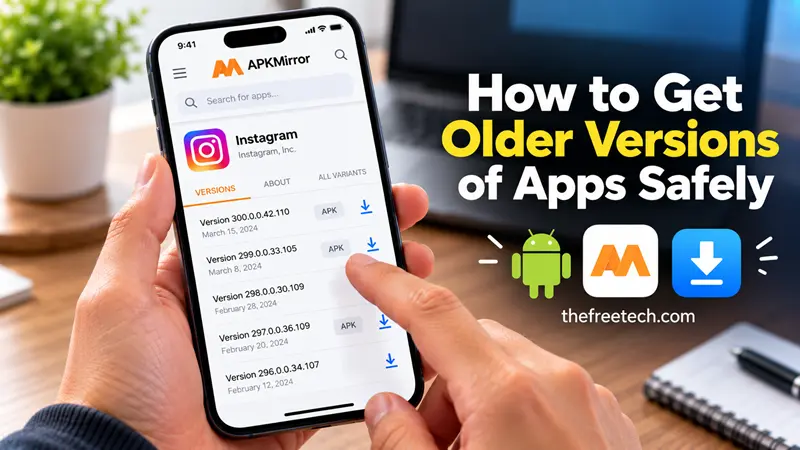
How to Get Older Versions of Apps Safely

To get older versions of apps, the method depends on your device. Android users can sometimes install an older APK file or uninstall updates to preinstalled apps. iPhone and iPad users can try downloading the last compatible version from their App Store purchase history, but Apple does not normally let users choose any historical version.
Before downgrading, back up important app data and verify that the older version is compatible with your device. An outdated app may also contain security vulnerabilities or stop working with current online services.
How to Get Older Versions of Apps on Android
Android offers more options for installing previous app versions than iOS, although Google Play does not provide a general version selector for ordinary apps.
There are three main approaches.
Method 1: Download an Older APK File
An APK is the Android package file used to distribute and install an app. Installing an older APK manually is often the most practical way to downgrade an Android app.
Follow these steps:
Check the current app version. Open Settings, select Apps, choose the app, and look for its version information.
Find a legitimate source. Check the app developer's official website or a reputable APK archive that identifies the release version and package details.
Choose the correct version. Confirm that the release supports your Android version and device architecture.
Back up your data. Export important files or sync your account before uninstalling the current app.
Download the APK. Verify the package identity and digital signature when possible.
Allow installation if required. Android may ask you to permit your browser or file manager to install unknown apps. Grant this permission only to a source you trust.
Install the older version. Open the downloaded file and follow the installation prompts.
If Android reports that the package is incompatible or that the installation would downgrade the app, the older release may not install through the normal process. Do not bypass security protections without understanding the risks.
Important: Uninstalling the current version may erase locally stored data. Android may also reject an older version if it uses a different signing key or is incompatible with the installed package.
Method 2: Uninstall Updates for Preinstalled Apps
If the app came preinstalled on your phone, you may be able to restore its factory-loaded version.
Open Settings.
Tap Apps or Apps & notifications.
Select the preinstalled app.
Open the menu, if available.
Tap Uninstall updates and confirm.
Menu names vary by Android version and manufacturer. This option is generally available only for certain preinstalled system apps.
It does not let you select an arbitrary historical release. It restores the version supplied with the device, which may still be newer than the version you want.
Method 3: Check Whether the Developer Offers an Older Version
Some developers provide previous releases through their official websites, enterprise distribution channels, or support teams.
Before downloading, verify that the release is authentic and intended for your device. Avoid modified APKs, cracked apps, and files from unknown download sites.
If the developer does not distribute previous releases, a reputable archive may be another option, but its files and signatures still need careful verification.
How to Get Older Versions of Apps on iPhone and iPad
Apple does not provide a normal App Store feature for selecting any previous version of an app. However, you may be able to install an older compatible release on a device running an older version of iOS or iPadOS.
Method 1: Download a Previously Obtained Compatible Version
Try the following steps:
Open the App Store on your iPhone or iPad.
Tap your account picture.
Open your account's app or purchase history.
Find the app you want to install.
Tap the download icon.
If Apple offers an older compatible version, follow the on-screen instructions.
The exact menu names vary by iOS version.
This method works only if a compatible build remains available and Apple offers it for your device and account. You generally cannot choose a specific release number, such as version 4.2.1.
If the app is missing from your purchase history, check whether you originally downloaded it using a different Apple Account.
Method 2: Try a Newer Device to Add the App to Your Purchase History
If you have never downloaded the app before, you can try obtaining it from the App Store on a compatible Apple device using the same Apple Account.
Then, check the purchase history on your older device and attempt to download it there.
Apple may offer a compatible older build, but this is not guaranteed. The developer may have removed older versions or stopped supporting your device.
What If the App Store Does Not Offer an Older Version?
If no compatible version is available, your practical options are to:
Contact the app developer and ask whether an older release is supported.
Update your device's operating system if your hardware permits it.
Use a supported web version of the service, if available.
Consider an alternative app that supports your device.
Avoid assuming that a third-party IPA download will work. Installing older iOS apps outside Apple's normal distribution methods can involve additional compatibility, signing, and security restrictions.
Can You Downgrade an App Without Losing Data
Sometimes, but it depends on the app and how it stores information.
An older version may not understand data created by a newer release. Uninstalling an app can also remove locally stored files, preferences, and other information.
Before downgrading:
Export important documents or projects.
Confirm that account data is synchronized.
Check whether the app supports backups.
Save login credentials and recovery information.
Make sure you have a way to reinstall the current version.
Do not assume that a device backup guarantees recovery of a particular app version or all its internal data.
Why Won't an Older Version of an App Install
Several problems can prevent a downgrade.
| Problem | Possible reason | What to try |
|---|---|---|
| App is incompatible | The release does not support your operating system or hardware. | Find a compatible release. |
| Installation is blocked | The system rejects the downgrade or package. | Check compatibility, package identity, and signing requirements. |
| App data is incompatible | The older release cannot read data created by the newer one. | Restore a compatible backup or use the developer's recovery instructions. |
| App updates again automatically | Automatic updates replace the older release. | Review your device's app-update settings. |
| Older app no longer works | Its servers, APIs, or sign-in systems may require a newer version. | Contact the developer or use a supported alternative. |
| Older version is unavailable | The developer or app store no longer distributes it. | Check official support options or consider another app. |
Is It Safe to Download Older App Versions
Older app versions can carry greater security risks because they may lack important patches. An unofficial download may also have been modified to include malicious code.
Use these precautions:
Prefer the developer's official distribution channels.
Verify the app's package name, release information, and digital signature when possible.
Avoid APKs that request unrelated permissions or come from suspicious download pages.
Never install a modified version of a banking, payment, authentication, or other sensitive app simply to avoid an update.
Keep your operating system and security protections updated.
Reinstall the current version if the older release behaves unexpectedly or poses a security concern.
A lower version number does not automatically make an app safer, faster, or more compatible.
FAQ
Can I download an older version of an app from Google Play?
Google Play does not normally provide a version history from which users can select any previous release. For some preinstalled apps, you can uninstall updates. Otherwise, installing an older APK may be an option if you can verify the source and compatibility.
Can I download older versions of apps for free?
That depends on the app's licensing and distribution terms. Free apps may have older releases available, but paid apps remain subject to their licensing requirements. Avoid pirated or modified packages.
Can I go back to an older version after updating an app?
On Android, this may be possible by restoring a preinstalled app's factory version or installing a compatible older package. On iPhone and iPad, there is no general-purpose downgrade selector; the App Store may offer a compatible release in limited circumstances.
How can I stop an app from updating automatically?
On Android, open Google Play, go to the app's listing, and check its automatic-update options. On iPhone or iPad, open Settings, select Apps, and open App Store settings to review automatic app updates. Menu names may vary across software versions.
Disabling automatic updates can help prevent an app from changing unexpectedly, but it also means you may miss security fixes and important compatibility updates.
What is the safest way to get an older app version?
Use the official app store or developer whenever possible. On Android, verify any APK before installing it. On Apple devices, use the App Store's supported download process and install an older compatible release only when Apple makes one available.









