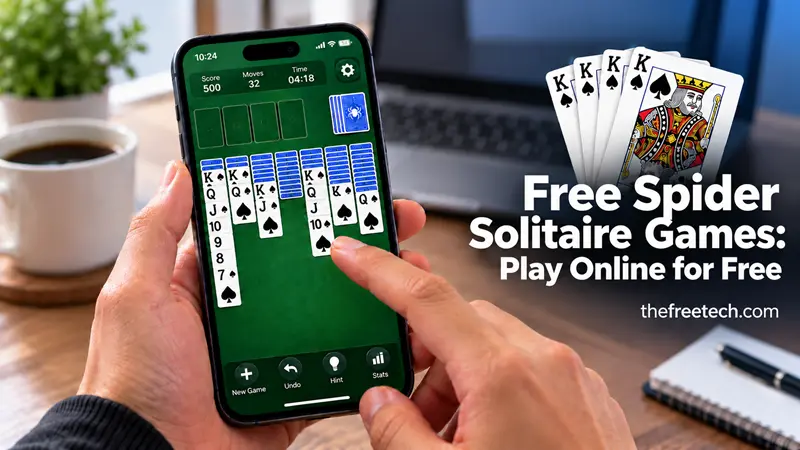
Free Spider Solitaire Games: Play Online for Free

You can play free Spider Solitaire games online without downloading software, or install a free app on your phone or computer. If you want to start immediately, try SCFO Play Spider Solitaire or Free Spider Solitaire by TreeCardGames. Both offer browser-based play without requiring a traditional game installation. [1] [2]
For a downloadable game, consider Microsoft Solitaire Collection or Spider Solitaire by MobilityWare. Both are available on Google Play, although ads and optional in-app purchases may apply.
The Best Free Spider Solitaire Games
These options provide different ways to play, from instant browser access to dedicated mobile apps.
1. SCFO Play Spider Solitaire
Best for: Playing instantly in a browser
Play online: SCFO Play – Spider Solitaire
SCFO Play offers Spider Solitaire alongside other classic card games. You can play in your browser without downloading a separate app. Its Spider game supports one to four suits, making it suitable for beginners and experienced players.
Features include hints, undo and redo controls, daily challenges, and optional account-based progress syncing.
2. Free Spider Solitaire by TreeCardGames
Best for: Multiple Spider Solitaire variations
Play online: Free Spider Solitaire
This browser-based collection includes classic Spider Solitaire, one-suit Spider, two-suit Spider, and Scorpion Solitaire. It also offers features such as hints, undo and redo, customizable cards, and game statistics.
You can play without downloading the desktop game or registering for an account. A browser extension is also listed in the Chrome Web Store, but it is optional for playing on the website.
3. Microsoft Solitaire Collection
Best for: Playing several classic solitaire games in one app
Android: Download from Google Play
iPhone and iPad: Download from the Apple App Store
Windows: Find it in the Microsoft Store
Microsoft Solitaire Collection includes Spider Solitaire alongside Klondike, FreeCell, TriPeaks, and Pyramid. The mobile app is free to download, with advertisements and optional in-app purchases.
This is a useful choice if you want several card games in one place rather than a dedicated Spider Solitaire app.
4. Spider Solitaire by MobilityWare
Best for: A dedicated Spider Solitaire mobile game
Android: Download from Google Play
iPhone and iPad: Download from the Apple App Store
Developer website: MobilityWare
MobilityWare's Spider Solitaire app offers one- and two-suit games for beginners, as well as more challenging three- and four-suit options. Features include daily challenges, statistics, customizable card designs, and undo controls.
The free version contains advertisements and optional in-app purchases. Download the app through the official store for your device.
Which Free Spider Solitaire Game Should You Choose?
| Game | How to play | Best reason to choose it |
|---|---|---|
| SCFO Play | Browser | No installation and multiple suit options |
| Free Spider Solitaire by TreeCardGames | Browser | Several Spider variations and helpful controls |
| Microsoft Solitaire Collection | Mobile app or Windows Store | Multiple solitaire games in one collection |
| Spider Solitaire by MobilityWare | Mobile app | Dedicated Spider gameplay and daily challenges |
Our recommendation: Choose SCFO Play or TreeCardGames if you want to start playing on your computer immediately. Choose Microsoft Solitaire Collection if you want a variety of solitaire games, or MobilityWare if you prefer a dedicated Spider Solitaire app.
Free-to-play does not always mean ad-free. Review each game's listing for advertisements, optional purchases, and device compatibility before installing.
How to Choose a Spider Solitaire Difficulty
Spider Solitaire usually offers different difficulty levels based on the number of suits in play.
| Difficulty | Suits | Best for |
|---|---|---|
| Easy | 1 suit | Beginners learning the rules |
| Medium | 2 suits | Players ready for more planning |
| Hard | 4 suits | Experienced players seeking a challenge |
One-suit Spider Solitaire is generally the easiest starting point because every card belongs to the same suit. Two-suit games require more planning, while four-suit games demand careful sequencing and suit management.
How to Play Spider Solitaire
The objective is to complete eight sequences, each running from King down to Ace in the same suit.
Arrange face-up cards in descending rank, such as a 7 onto an 8.
Keep cards of the same suit together whenever possible.
Reveal face-down cards to unlock additional moves.
Use empty columns to reorganize cards and create flexibility.
Deal another row from the stock when you need more cards, following the game's rules.
Complete a full King-to-Ace sequence to remove it from the tableau.
The game is won when all eight suit sequences are completed and removed.
Tips for Winning More Games
Reveal hidden cards early. Exposing cards can give you more options.
Build same-suit sequences. These are easier to move as a group.
Protect empty columns. Use them strategically instead of filling them immediately.
Think before dealing. Another row of cards can block useful moves.
Use undo and hints to learn. These features can help you compare alternative moves.
The best strategy is to preserve your options while making progress toward complete suit sequences.
FAQ
Where can I play Spider Solitaire for free without downloading?
Try SCFO Play or Free Spider Solitaire. Both provide browser-based games without requiring a separate desktop installation.
Where can I download Spider Solitaire for free?
You can download Microsoft Solitaire Collection for Android or MobilityWare Spider Solitaire for Android. For iPhone and iPad, use the official Apple App Store links provided above.
Can I play Spider Solitaire on Windows?
Yes. You can look for Microsoft Solitaire Collection or other free Spider Solitaire games in the Microsoft Store. Availability and features may vary by device and region.
Is Spider Solitaire free to play offline?
Some downloadable apps support offline play, including MobilityWare's Spider Solitaire. Check the current app description and test offline access on your device, since certain features may still require an internet connection.
Which Spider Solitaire game is best for beginners?
Start with one-suit Spider Solitaire. SCFO Play and MobilityWare both offer suit options that let you begin with an easier game and increase the difficulty as you improve.









