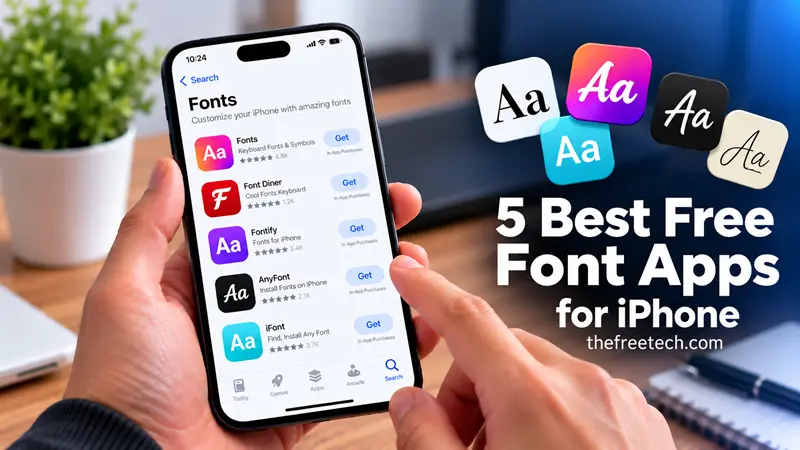
5 Best Free Font Apps for iPhone

The best free font apps for iPhone depend on how you want to use your fonts. Fonts for iPhones and Fonts for You are worth considering for decorative text and keyboard styles, while iFont is a better starting point for installing font files in compatible apps. Fontboard is another option for users looking for a free decorative-font keyboard.
Before downloading, know the difference: some apps create stylish characters for Instagram bios and messages, while others install actual typefaces for documents and design projects. Most are free to download, but some features may require in-app purchases.
Best Free Font Apps for iPhone at a Glance
| App | Best for | Free option |
|---|---|---|
| Fonts for iPhones | Stylish text and social media | Free download with in-app purchases |
| Fonts for You | Decorative keyboard styles | Free download with in-app purchases |
| iFont | Installing font files | Free personal-file installation; premium features available |
| Fontboard: Trendy Fonts | Decorative text styles | Listed as free; verify current features |
| Fonts Art | Creative text and keyboard customization | Free download with in-app purchases |
1. Fonts for iPhones — Best for Everyday Stylish Text
Best for: Instagram bios, TikTok captions, messages, and decorative usernames.
Fonts for iPhones by InnerGrow provides a font keyboard for entering stylized text directly into compatible apps. Its App Store listing advertises decorative styles, symbols, kaomojis, and options for customizing text.
Key features
Multiple decorative text styles.
Keyboard-based typing.
Special symbols and kaomojis.
Options for creating customized text.
Limitations: The app includes in-app purchases, and some features may not be free.
Choose this app if you want to change the appearance of your messages or social media text without manually copying every character.
View Fonts for iPhones on the App Store
2. Fonts for You — Best for a Decorative Keyboard
Best for: People who regularly use stylish text in messages and social media posts.
Fonts for You by Livintis W.L.L. is a keyboard app offering decorative styles such as cursive, bold, gothic, italic, and bubble text. Its listing also describes keyboard themes, symbols, and the ability to type directly into compatible apps.
Key features
More than 100 advertised font styles.
Multiple keyboard themes.
Decorative symbols and emoji.
Direct text entry without repeatedly switching to a separate font generator.
Limitations: The app offers in-app purchases. Its stylized characters are not the same as installing a traditional font file for a document.
This is a practical choice if your main goal is to make everyday text look more distinctive.
View Fonts for You on the App Store
3. iFont — Best for Installing Actual Fonts
Best for: Documents, presentations, and compatible creative apps.
Unlike decorative keyboard apps, iFont is designed to help users manage and install font files. It is useful if you have downloaded a typeface and want to use it in an app that supports custom fonts.
Key features
Importing personal font files.
Previewing fonts and examining glyphs.
Installing fonts through supported iOS configuration-profile workflows.
Managing installed fonts.
Limitations: Installing a font does not change the typeface throughout iOS. Your chosen font will appear only in compatible apps, and some built-in font-library features may require a premium plan.
For people who need fonts for documents rather than decorative messages, iFont is the most relevant starting point.
4. Fontboard: Trendy Fonts — Best for Exploring Decorative Styles
Best for: Users who want a simple way to explore stylish text for profiles and messages.
Fontboard is another candidate for people looking for decorative fonts on iPhone. Its current availability and free features should be checked in the App Store before choosing it over other keyboard apps.
What to look for
Whether your preferred styles are available for free.
Whether the app uses a keyboard or a copy-and-paste workflow.
Whether ads or in-app purchases affect everyday use.
Whether the generated text displays correctly on the platforms you use.
Limitations: Decorative text is generally created using special Unicode characters, not by installing a traditional typeface. Verify the current listing for exact features and pricing.
Find Fontboard on the App Store
5. Fonts Art — Best for Creative Text Customization
Best for: Users who want more than basic decorative lettering.
Fonts Art combines font-related tools with keyboard and creative-text customization features. It is worth exploring if you want different styles for social posts, profiles, or personal messages.
Key features to explore
Decorative text styles.
Keyboard customization.
Creative text and symbol options.
Additional personalization tools.
Limitations: The app is free to download, but some tools and styles may require in-app purchases. Check the current listing to confirm which features are included in the free version.
Find Fonts Art on the App Store
How to Choose the Right Free Font App for iPhone
Your intended use matters more than the number of fonts advertised by an app.
| Your goal | Recommended starting point |
|---|---|
| Stylish Instagram bio or username | Fonts for iPhones |
| Decorative text while messaging | Fonts for You |
| Custom fonts in Pages or other compatible document apps | iFont |
| Exploring decorative text styles | Fontboard |
| Creative text and keyboard customization | Fonts Art |
If you only need fancy text for social media, start with a keyboard app. If you need a typeface inside a document or design project, choose a font installer instead.
How to Use a Font App on Your iPhone
The setup process depends on the type of app you choose.
For decorative font keyboards
Download a font keyboard app from the App Store.
Open the app and follow its keyboard setup instructions.
Go to Settings → General → Keyboard → Keyboards.
Add the new keyboard if the app requires it.
Switch keyboards while typing and select a style.
Test the result in your preferred messaging or social media app.
Menu labels can vary by iOS version. Review any permission requests before enabling a third-party keyboard, especially requests for Full Access.
For installing actual font files
Download a compatible font installer.
Import a font file, such as a TTF or OTF file, if supported.
Follow the installer’s instructions to install the font.
Review and approve the configuration profile if required.
Open a compatible document or design app.
Select the installed font from that app’s font menu.
Apple explains that installed fonts can be used in documents created on iPhone. You can also check installed fonts under Settings → General → Fonts.
Official reference: Apple Support — Install and manage fonts on iPhone.
Can You Change the Default iPhone Font
No. Installing a font app does not normally let you replace the system-wide typeface used in Settings, Messages, and other parts of iOS.
Font apps generally serve one of two purposes:
Decorative text: They generate special characters that resemble different lettering styles.
Font installation: They make actual typefaces available in compatible apps.
This distinction is important when choosing an app. A keyboard that produces fancy text will not necessarily help you change fonts in a document editor, and a font installer will not automatically change the appearance of your social media profile.
Are Free Font Apps for iPhone Really Free
Many font apps are free to download, but that does not mean every feature is free.
Before installing one, check:
In-app purchases: Some styles or tools may be locked behind a subscription or purchase.
Ads: Free versions may display advertisements.
Keyboard permissions: Review privacy information and understand any Full Access request.
Font licensing: A font available at no cost may still have restrictions on commercial use.
Compatibility: Some decorative characters may display incorrectly on other devices or platforms.
For a straightforward choice, start with a free keyboard app if you want decorative text. If you need custom fonts for documents, explore iFont and confirm which installation features are included at no cost.
FAQ
What is the best free font app for iPhone?
For decorative text and social media, Fonts for iPhones and Fonts for You are useful starting points. For installing actual font files, iFont is more appropriate. The best choice depends on how you plan to use the fonts.
Can I use free font apps for Instagram?
Yes. Decorative font keyboard apps can generate stylized text for Instagram bios, captions, and other text fields. However, some styles use special Unicode characters rather than actual fonts, and not every character will display consistently.
Can I install custom fonts on an iPhone without a computer?
Yes. Compatible font installers can import font files from sources such as Files or cloud storage and guide you through installation on the iPhone itself.
Will a font app change the font in WhatsApp or iMessage?
A decorative keyboard may let you enter stylized characters in WhatsApp or iMessage. An installed typeface generally will not change the default font of these apps.
Are free font apps safe to use?
Use reputable App Store listings, review the developer’s privacy information, and be cautious with keyboard permissions. Avoid granting permissions you do not understand or need.
Can I use fonts downloaded for free in commercial projects?
Not necessarily. Free downloading does not automatically grant commercial-use rights. Check the font’s license before using it in business branding, client work, advertisements, or products for sale.









