Free Employee Monitoring Software: 5 Tools Compared (2026)

Free employee monitoring software can help businesses track work hours, manage attendance, and understand how employees use work applications without immediately paying for a subscription. The best option depends on whether you need computer activity insights, timesheets, or attendance records.
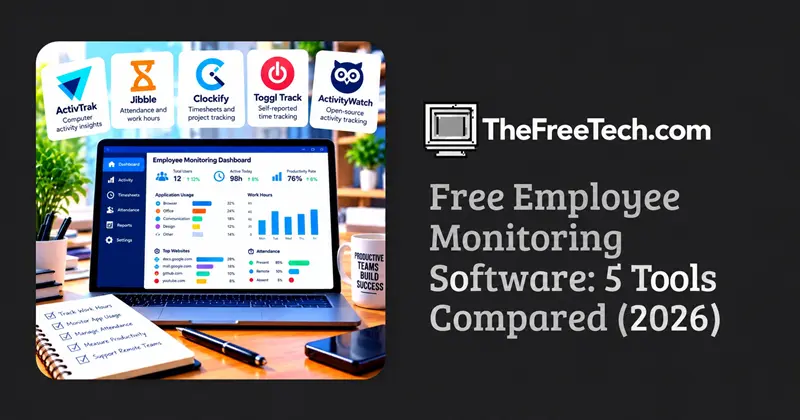
For computer activity visibility, ActivTrak offers a free plan for up to three people. For attendance and work-hour tracking across a larger team, Jibble advertises a free plan for unlimited users. Clockify is another option for teams that primarily need timesheets and project time tracking.
These tools do different jobs. Before choosing one, distinguish permanent free plans from trials and check which monitoring features are actually included.
Best Free Employee Monitoring Software at a Glance
Pricing and plan details checked against publicly available product information in October 2026. Features and restrictions can change.
Software | Best for | Free option | Main limitation |
|---|---|---|---|
ActivTrak | Computer activity insights | Permanent free plan | Limited to 3 users |
Jibble | Attendance and work hours | Free plan for unlimited users | Primarily an attendance and time-tracking solution |
Clockify | Timesheets and project hours | Permanent free plan | Advanced administration features require payment |
Toggl Track | Self-reported time tracking | Free plan available | Not designed for invasive computer surveillance |
ActivityWatch | Open-source activity tracking | Free, open-source software | Requires more technical setup for team use |
1. ActivTrak — best for computer activity insights
Pricing model: permanent free plan
ActivTrak helps managers understand work patterns by collecting activity data and showing which applications and websites employees use. Its free plan supports up to three people and includes basic activity summaries and productivity trends. The published plan includes 30 days of data history.
Best for: Small businesses that want an overview of computer-based work patterns.
What to consider: The free plan is limited in team size and functionality. Advanced analytics, additional data history, and certain monitoring features may require a paid plan.
Official website: ActivTrak pricing and plans
2. Jibble — best for attendance and work-hour tracking
Pricing model: permanent free plan
Jibble focuses on time tracking, attendance, and timesheets. Its official website advertises a free plan for unlimited users, making it worth considering for businesses that need to record working hours across multiple teams or locations.
Best for: Businesses that need clock-ins, attendance records, and work-hour reporting.
What to consider: Attendance tracking is different from detailed computer monitoring. If you need application usage reports or screenshots, verify those specific requirements before choosing Jibble.
Official website: Jibble time tracking software
3. Clockify — best for timesheets and project tracking
Pricing model: permanent free plan
Clockify lets employees record time against tasks and projects, helping managers review working hours and project effort. Its free plan includes unlimited time tracking and projects, with basic time-reporting capabilities.
Best for: Agencies, freelancers, small teams, and businesses that need to understand how much time projects consume.
What to consider: Clockify is primarily a time-tracking platform, not a comprehensive employee surveillance tool. Screenshots and other advanced features should not be assumed to be available on its free plan.
Official website: Clockify pricing and features
4. Toggl Track — best for transparent time tracking
Pricing model: free plan available
Toggl Track is useful for teams that prefer employees to log their own time rather than have managers continuously monitor computer activity. It supports time tracking and reporting workflows for projects and tasks.
Best for: Remote teams that need visibility into project hours without collecting detailed screen activity.
What to consider: It is not a direct substitute for software that records application usage or takes screenshots. Confirm the current free-plan user limit and included reports before implementation.
Official website: Toggl Track
5. ActivityWatch — best for open-source activity tracking
Pricing model: free and open source
ActivityWatch is an open-source tool for tracking computer activity. It may suit technically capable individuals or organizations that prefer more control over their activity-tracking setup instead of relying entirely on a commercial subscription.
Best for: Users who want an open-source starting point for activity tracking.
What to consider: Open-source software is not automatically a complete employee-monitoring platform. Team administration, centralized reporting, deployment, access controls, and ongoing maintenance may require additional work.
Official website: ActivityWatch
How to Choose the Right Free Employee Monitoring Software
The most effective way to choose is to start with the business problem rather than the number of features.
Check these five details before signing up
User limits: Does the free plan cover everyone who needs an account?
Required features: Are the reports, activity logs, and attendance tools you need included?
Data retention: How long is activity data stored, and can you export it?
Future costs: What happens when the team grows or the trial ends?
Privacy and security: Who can access the records, and what controls exist for collecting and deleting employee data?
A tool with unlimited users may still be unsuitable if it lacks the reporting you need. Conversely, a three-user plan can be sufficient for a small pilot.
Privacy Considerations When Monitoring Employees
Employee monitoring should have a clear business purpose. Collect only the data needed for that purpose, inform employees about the monitoring practices, restrict access to authorized people, and establish a retention policy.
Before deploying software, check the laws that apply to your organization and employees. For businesses operating in Indonesia, review applicable personal-data protection requirements, including Indonesia's Personal Data Protection Law (Law No. 27 of 2022), and seek appropriate legal advice where necessary.
Avoid treating screenshots, application activity, or time spent at a computer as definitive measures of performance. These signals can provide context, but they do not necessarily demonstrate the quality or value of someone's work.
FAQ
Is free employee monitoring software really free?
Some tools provide permanent free plans, while others offer only temporary trials. Free plans may limit the number of users, reporting features, storage, or historical data. Check the vendor's current pricing page rather than relying on the word “free” in an advertisement.
Can free employee monitoring software take screenshots?
Some products offer screenshots or screen-level monitoring on certain plans, but availability varies. Do not assume a free tier includes screenshots simply because the paid product supports them. Verify the exact feature, its plan requirements, and the vendor's privacy controls.
What is the best free option for a large team?
If your primary need is attendance and work-hour tracking, Jibble is worth evaluating because its vendor advertises a free plan for unlimited users. For computer activity analytics, the requirements may be different, and ActivTrak's free plan is limited to three users.
Is time tracking the same as employee monitoring?
No. Time tracking records hours spent on tasks, projects, or shifts. Employee monitoring can also include application usage, website activity, or screen-level observations. Choose the least intrusive option that meets your operational needs.
Should a business use open-source or commercial software?
Open-source software may offer greater control over deployment and customization, but the organization may need to handle setup, maintenance, and centralized reporting. Commercial software is often easier to deploy, but free plans can impose user or feature restrictions. The right choice depends on technical resources, security requirements, and ongoing costs.