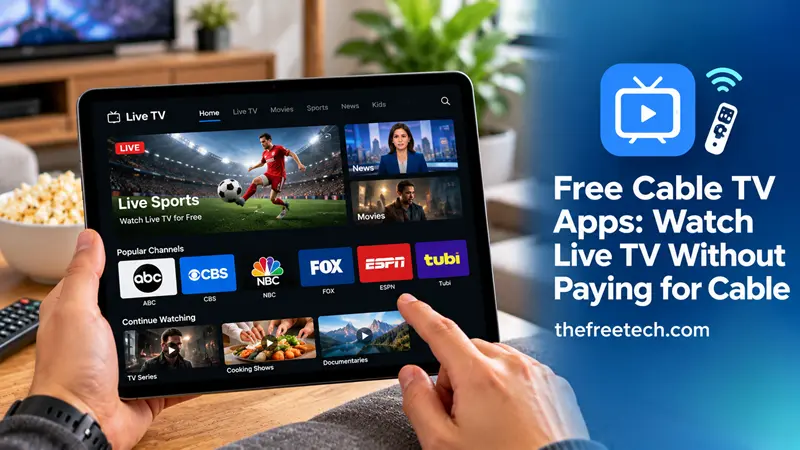
Free Cable TV Apps: Watch Live TV Without Paying for Cable

Free cable TV apps let you watch live television, news, movies, and entertainment without paying for a traditional cable subscription. Depending on the app and your location, you can access free live channels, on-demand programs, and selected sports coverage using a smart TV, smartphone, tablet, or streaming device.
Some services are completely free and supported by advertising, while others offer limited free content alongside paid subscriptions. The key is choosing an app that carries the channels you actually want to watch.
10 Free Cable TV Apps Worth Considering
The following apps and streaming services offer free viewing options. Channel availability, regional restrictions, and supported devices vary.
1. Pluto TV
Pluto TV provides free, ad-supported streaming with a channel guide designed to resemble traditional cable television. Its programming includes entertainment, movies, news, and themed channels.
Best for: Viewers who want a cable-like channel-surfing experience without a monthly bill.
2. Tubi
Tubi focuses primarily on free, ad-supported movies and television shows. It also offers live content in supported markets, although its main strength is its on-demand library.
Best for: Movie lovers and viewers looking for television series without a paid subscription.
3. The Roku Channel
The Roku Channel offers free, ad-supported entertainment, including live channels and on-demand content in supported regions. Availability on non-Roku devices varies by market.
Best for: Viewers who want a mixture of live programming and on-demand entertainment.
4. Plex
Plex provides free, ad-supported live TV channels and on-demand content in supported locations. It also offers media-library features for organizing compatible personal media.
Best for: People who want free streaming channels alongside personal media management.
5. Xumo Play
Xumo Play offers free, ad-supported streaming channels and on-demand entertainment. Its channel lineup and device compatibility depend on location.
Best for: Viewers who prefer browsing a selection of scheduled channels instead of choosing every program individually.
6. Sling Freestream
Sling Freestream provides free streaming channels and on-demand programming without requiring a paid Sling TV subscription for its free offering. The available content can vary.
Best for: People who want to explore free streaming channels before considering a paid live-TV package.
7. Local Now
Local Now focuses on local news, weather, and other news and entertainment programming. Its local coverage and available channels depend on the market.
Best for: Viewers who prioritize local information and news.
8. Haystack News
Haystack News aggregates news coverage from multiple sources and lets viewers explore topics and news programs. It is not a complete replacement for a traditional cable channel package.
Best for: People who want to follow current events through a free news-streaming app.
9. YouTube
YouTube offers free videos, selected live streams, news broadcasts, and other programming. However, full access to many traditional cable channels through YouTube TV requires a paid subscription.
Best for: Viewers who want free live streams, news content, and creator-produced entertainment.
10. Official Network Apps
Some television networks offer free episodes, clips, live news, or limited live programming through their official apps and websites. Access to full live channels may require a TV-provider login or paid subscription.
Best for: Viewers who want content from a particular network rather than a broad selection of streaming channels.
Which Free Cable TV App Is Best for You
The best option depends on what you want to watch.
| Your main interest | Apps to consider |
|---|---|
| A cable-style channel guide | Pluto TV, Xumo Play |
| Free movies and TV shows | Tubi, The Roku Channel |
| Live news | Haystack News, Local Now, YouTube |
| Free live channels and on-demand content | Plex, Sling Freestream |
| Specific network programming | Official network apps |
These recommendations describe each service's general focus, not a guarantee that every channel or feature is available in your country.
How to Watch Free TV on Your Smart TV
You can usually start watching free streaming television in a few simple steps:
Connect your smart TV, streaming device, or phone to the internet.
Open your device's official app store.
Search for a free streaming app, such as Pluto TV or Plex.
Install the app and open it.
Create an account only if the service requires one for the features you want.
Browse the live-channel guide or on-demand library and select a program.
If an app is unavailable in your device's app store, check whether the service officially supports your device and region. Avoid downloading unofficial app files from unfamiliar websites.
Are Free Cable TV Apps Really Free
Yes, many are free to use, but they usually generate revenue through advertising. Some services also offer optional paid plans or premium content.
Before installing an app, check these details:
Subscription fees: Confirm that the specific service or content you select does not require payment.
Advertisements: Free streaming usually includes commercial breaks.
Channel availability: Free apps rarely provide every channel included in a traditional cable package.
Regional restrictions: Some apps and programs are available only in certain countries.
Internet usage: Streaming video can consume substantial amounts of mobile data, so Wi-Fi is preferable when available.
A free streaming app should not be assumed to provide every major cable network, premium sports event, or local broadcast channel at no cost.
Can You Watch Sports for Free
Some free streaming apps carry sports news, highlights, analysis, selected events, and occasional live competitions. However, major leagues and premium sporting events often have separate broadcasting rights and may require a paid service or an authorized local broadcaster.
If sports are your priority, check the event's official broadcaster and the app's current schedule before relying on a free service.
Free Cable TV Apps vs. Traditional Cable
Free streaming apps can be a practical alternative if you mainly watch movies, general entertainment, or selected news channels.
Traditional cable may still be more convenient if you need a specific lineup of local channels, regional sports networks, or premium programming. Some viewers combine free apps with a TV antenna for compatible local over-the-air broadcasts, reducing the need for a paid TV package.
FAQ
What is the best free cable TV app?
Pluto TV is a useful starting point for a cable-style viewing experience. Tubi is a strong option for free movies and television shows, while Haystack News is suited to viewers who primarily want news. The best choice depends on your preferred content and location.
Can I watch live TV for free without signing up?
Some apps allow you to watch selected content without creating an account. Others require registration for certain features or devices. Check the service's requirements before installing it.
Do free TV apps work without cable or satellite?
Yes. Many free streaming apps work through an internet connection without a cable or satellite subscription. An internet connection is generally still required.
Are free cable TV apps available on Android and iPhone?
Many services offer Android and iOS apps, but compatibility and regional availability differ. Check the official Google Play Store or Apple App Store listing for your device.
Can I watch free cable TV apps outside the United States?
Some services are available internationally, while others restrict their content by country. If you are outside the United States, confirm that the app is officially available in your region and check its local channel lineup.









