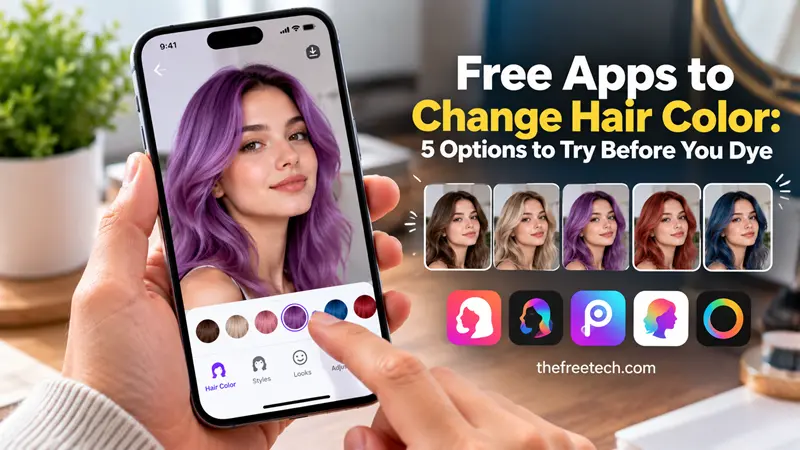
Free Apps to Change Hair Color: 5 Options to Try Before You Dye

The best free apps to change hair color let you preview a new shade in a photo or through your phone's camera before committing to a real dye job. YouCam Makeup is a good starting point for exploring multiple shades, while Facetune and Hair Color Changer offer photo-editing options. MakeupPlus is worth considering for simple color previews, and PhotoDirector is another option for more creative hairstyle edits.
Most of these apps are free to download, but some features may require a subscription or in-app purchase. Check the available tools before spending time editing your photos.
The Best Free Hair Color Changer Apps
1. YouCam Makeup — Best for Trying Different Shades
Official website: YouCam Makeup by Perfect Corp
YouCam Makeup is a beauty-editing app that lets you experiment with hair colors alongside makeup and other appearance adjustments. It is a useful starting point if you want to compare several shades without changing your actual hair.
What you can try:
Natural shades such as brown, blonde, and black.
Bold colors for a more dramatic transformation.
Different color effects and virtual beauty looks.
Hair color previews using supported photo or camera features.
Best for: Anyone who wants to compare several hair colors before choosing a new look.
Free access: The app is free to download, with some features potentially restricted to paid plans.
2. Facetune — Best for Editing Hair Color in Photos
Official website: Facetune
Facetune is primarily a photo and video editor, but it also offers beauty-editing tools that can help you experiment with your appearance, including hair color.
It is particularly useful if you want to adjust a selfie and compare the results with your original photo.
What you can try:
Hair color adjustments where available.
Photo retouching and appearance enhancements.
Additional edits to help create a polished final image.
Best for: People who want to change their hair color while editing selfies for social media.
Free access: Facetune is free to download, but some editing tools and features require payment.
3. Hair Color Changer — Best for Direct Color Experiments
Official app listing: Hair Color Changer on the Apple App Store
A dedicated Hair Color Changer app can be a practical choice if you do not need a complete beauty-editing suite.
For example, the iOS app lets users select a photo, apply different shades, and refine the effect using brush, opacity, and eraser controls.
What you can try:
Apply different colors to a portrait.
Adjust the intensity of the color effect.
Refine the selection with manual editing tools.
Compare alternative shades using the same photo.
Best for: Users who want more direct control over the color applied to their hair.
Free access: The app is listed as free with in-app purchases. Availability and features can differ by device and region.
4. MakeupPlus — Best for Simple Hair Color Previews
Official website: MakeupPlus by Meitu
MakeupPlus combines beauty filters and virtual makeup with appearance-editing features, including hair color experimentation.
It can be useful if you want to see how a different shade might complement your overall look without using a complicated editing workflow.
What you can try:
Experiment with different hair shades.
Combine a color change with makeup effects.
Create alternative looks from a portrait.
Best for: Beginners who want to experiment with hair color and makeup together.
Free access: Check the current app listing for supported devices, available features, and any in-app purchases.
5. PhotoDirector — Best for Creative Hair Transformations
Official website: PhotoDirector by CyberLink
PhotoDirector is a photo-editing app that can help you create more customized appearance changes. It is worth exploring if you want to go beyond a simple color filter and create a more complete hairstyle concept.
What you can try:
Experiment with hair color through supported editing tools.
Combine color changes with other photo adjustments.
Create alternative versions of a portrait.
Best for: Users who want more flexibility when editing photos and exploring different looks.
Free access: The app offers free access to some features, while advanced tools may require a paid plan.
Which Free Hair Color App Should You Choose
The right choice depends on whether you want a quick preview, a realistic color comparison, or more detailed photo editing.
| Your goal | App to try first |
|---|---|
| Explore a range of hair shades | YouCam Makeup |
| Edit hair color in a selfie | Facetune |
| Adjust color manually | Hair Color Changer |
| Combine hair color and makeup | MakeupPlus |
| Create a more customized photo edit | PhotoDirector |
These are starting recommendations based on the apps' described features, not the results of a new hands-on test. Free tools, supported devices, and subscription restrictions can change.
How to Change Your Hair Color Using a Free App
You can usually preview a new hair color in a few steps.
Choose a clear photo. Use a well-lit image in which your hair is visible against the background.
Open the hair color tool. Look for options such as Hair Color, Hair Dye, Hair Filters, or AI Hair Changer.
Select a shade. Start with a color close to your natural hair, then test lighter, darker, or more vibrant alternatives.
Adjust the intensity. If the result looks artificial, reduce the effect or refine the hair selection when the app supports it.
Compare the results. Save or review different versions of the same photo to see which shade you prefer.
Check the free export options. Before finishing, confirm whether saving the image requires a subscription, includes a watermark, or reduces image quality.
How to Get More Realistic Hair Color Results
A virtual hair color preview is only as useful as the photo and editing tools allow. These tips can help you make a better comparison.
Use natural lighting. Harsh shadows and colored indoor lighting can make shades harder to evaluate.
Keep your hair visible. Avoid photos where your hair blends into the background or is covered by hats and accessories.
Compare similar shades first. Try warm brown versus cool brown, or golden blonde versus ash blonde, before exploring dramatic changes.
Check the roots and ends. Some tools apply color unevenly around curls, flyaways, and darker roots.
Look at the original photo too. A filter that looks attractive on screen may not accurately represent how actual hair dye will look.
Can a Hair Color App Predict Your Real Dye Results?
Not exactly. A virtual preview can help you visualize a shade, but it cannot reliably reproduce every factor that affects real hair color.
Your current hair color, previous dye treatments, hair condition, lighting, and the coloring process itself can all affect the result. For example, a filter that makes dark hair look platinum blonde does not mean you can achieve that shade with a single application of dye.
Use the app to communicate your preferred look to a hairstylist or to narrow down your options before buying hair dye.
FAQ
Are there completely free apps to change hair color?
Some apps offer basic hair color previews without payment, but free downloads do not always include every feature. YouCam Makeup, Facetune, and dedicated hair color editing apps are options to investigate. Check whether your preferred tool, color effects, and photo exports are available for free.
Can I change my hair color in a photo without dyeing it?
Yes. Hair color editing apps can recolor your hair digitally in an existing photo. The change is cosmetic and does not affect your real hair.
Which app is best for trying unusual hair colors?
Start with YouCam Makeup for a range of virtual color options. You can also explore dedicated hair color editors for more direct control over the shade and its intensity. Check the free version before choosing an app.
Can I use a hair color changer without uploading a photo?
Some apps provide live camera previews, while others require an existing photo. Check the individual app's features and privacy settings to determine whether it supports live previews or processes images locally.
Are hair color apps accurate enough for choosing a salon color?
They are useful for inspiration, but they should not be treated as exact color predictions. Bring your preferred preview to your stylist and discuss what is achievable based on your current hair color and condition.









