7 Best Free Floor Plan Apps for Homeowners in 2026

However, free does not always mean unlimited. Some apps restrict the number of projects, furniture options, image quality, or downloadable floor plans. Choosing the right tool depends on whether you want to rearrange a living room, plan a remodel, or produce a measured layout to share with a contractor.
The Best Free Floor Plan Apps at a Glance
App | Best for | Main free-plan limitation |
|---|---|---|
Floorplanner | Easy browser-based floor plans | Five free projects; watermarked, standard-definition exports |
Sweet Home 3D | Free desktop design and 3D previews | Some editions and additional content may cost extra |
Planner 5D | Visualizing furniture and interiors | Limited furniture catalog and advanced features |
RoomSketcher | Measured room layouts | Two projects; professional outputs may require payment |
HomeByMe | Decorating and realistic interior visuals | Two projects and limited free renderings |
magicplan | Measuring existing rooms on a phone or tablet | Two projects on the free Starter plan |
SimpleDraw | Quick, straightforward 2D layouts | Advanced features such as 3D and PDF tracing may cost extra |
Free-plan details checked against vendor documentation and official product pages in October 2026. Features and restrictions may change; check the linked pricing pages before committing to a workflow.
1. Floorplanner — best for quick browser-based planning
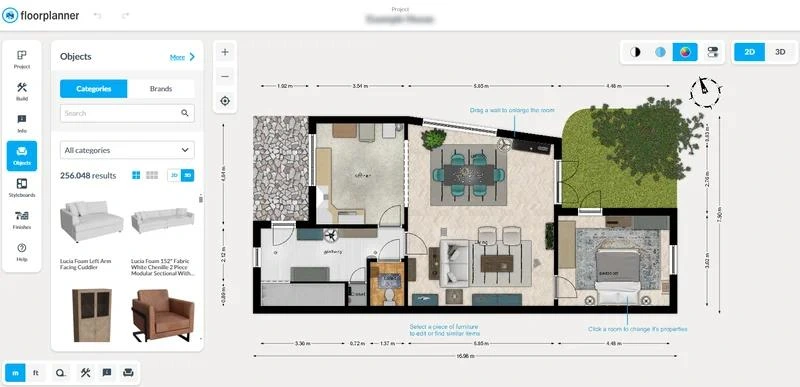
Best for: Homeowners who want to plan rooms without installing software.
Floorplanner lets you draw walls, arrange furniture, and switch between 2D layouts and 3D views directly in your browser. Its extensive object library helps you experiment with room arrangements before moving furniture or buying new pieces.
The free Basic plan supports five projects, with up to three floors and three designs per project. Exports are limited to standard-definition images (960 × 540 pixels) with a watermark, and free exports have a waiting interval.
Choose it if: You want an accessible planning tool for a living room, bedroom, or home renovation.
2. Sweet Home 3D — best for free desktop design
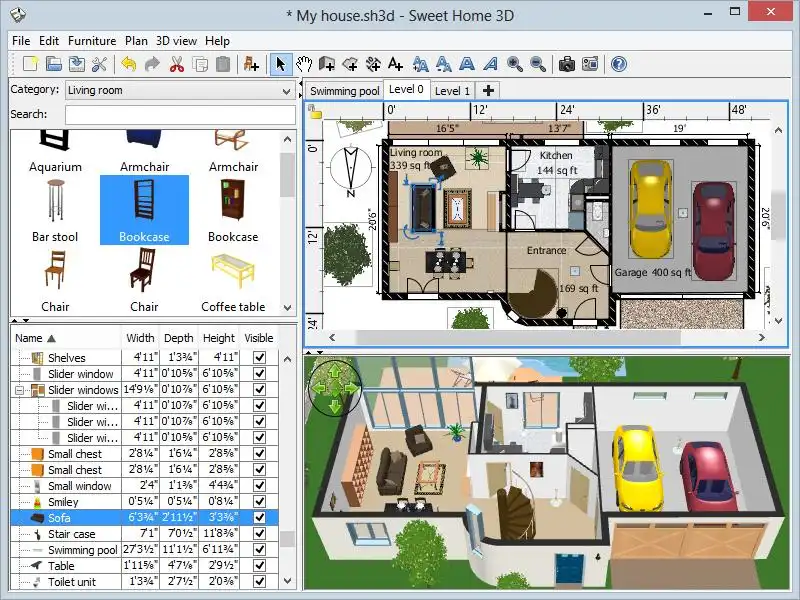
Best for: DIY users who want to design a home and preview the interior in 3D.
Sweet Home 3D combines a 2D floor-plan editor with a 3D view, allowing you to draw rooms, position furniture, and visualize the layout. Its desktop version is open-source software available for Windows, macOS, and Linux.
Unlike many freemium tools, the desktop application is available without a required subscription. The online version and mobile editions may differ in capabilities or pricing, so use the desktop download if your priority is free software.
Choose it if: You want to work on a larger project without a recurring software fee.
3. Planner 5D — best for visualizing interiors
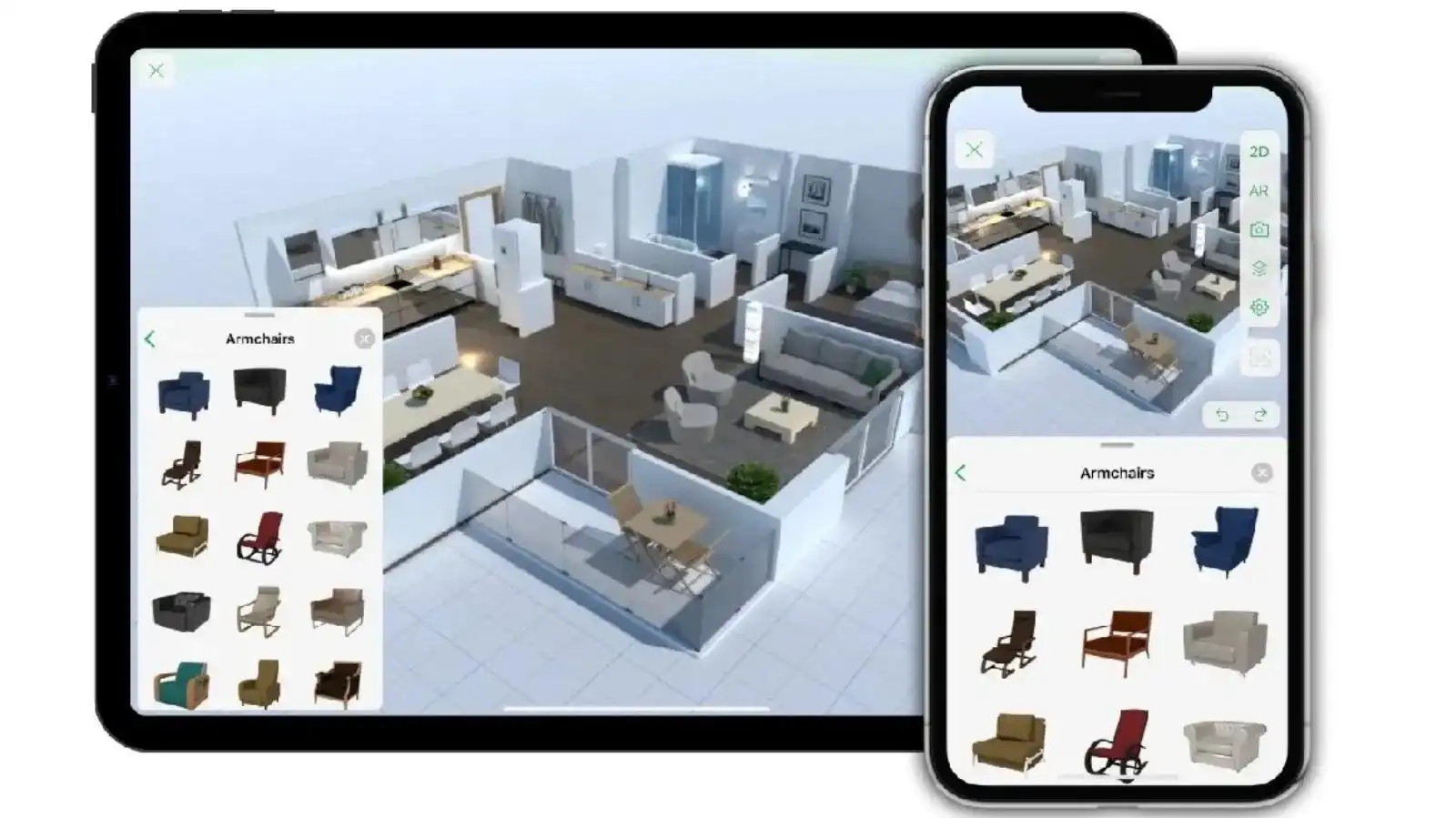
Best for: Homeowners who want to test furniture arrangements, colors, and finishes.
Planner 5D offers 2D and 3D design tools across web and mobile platforms. You can create a room layout, furnish it, and explore how the interior might look before making changes in your home.
Its free Basic plan has a limited furniture catalog, supports floor and wall customization, and allows unlimited draft screenshots. Advanced customization, the full catalog, AI plan recognition, and additional rendering options are among the paid features. A seven-day Pro trial is also available, but it is not the same as the ongoing free plan.
Choose it if: Visual appearance matters more to you than exporting technical drawings.
4. RoomSketcher — best for measured floor plans
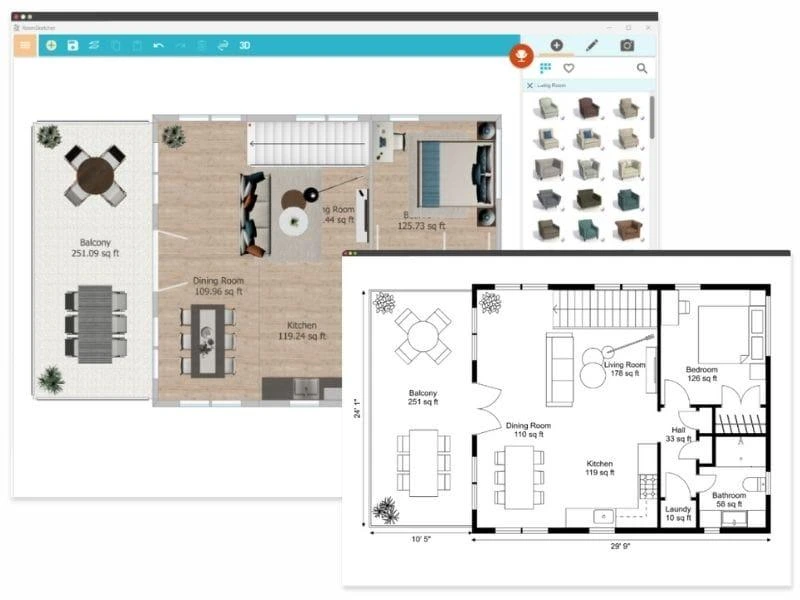
Best for: Homeowners who need clear room dimensions and a polished layout.
RoomSketcher lets you draw rooms, specify measurements in feet or meters, add doors and windows, and preview furnished spaces in 3D.
The free subscription includes up to two projects, more than 4,000 furniture and material items, low-resolution 3D snapshots, and one free AI blueprint conversion. Some professional floor-plan outputs and advanced features require credits or a paid subscription.
Choose it if: You value measured layouts and want to test the software before paying for presentation-quality plans.
5. HomeByMe — best for realistic room previews
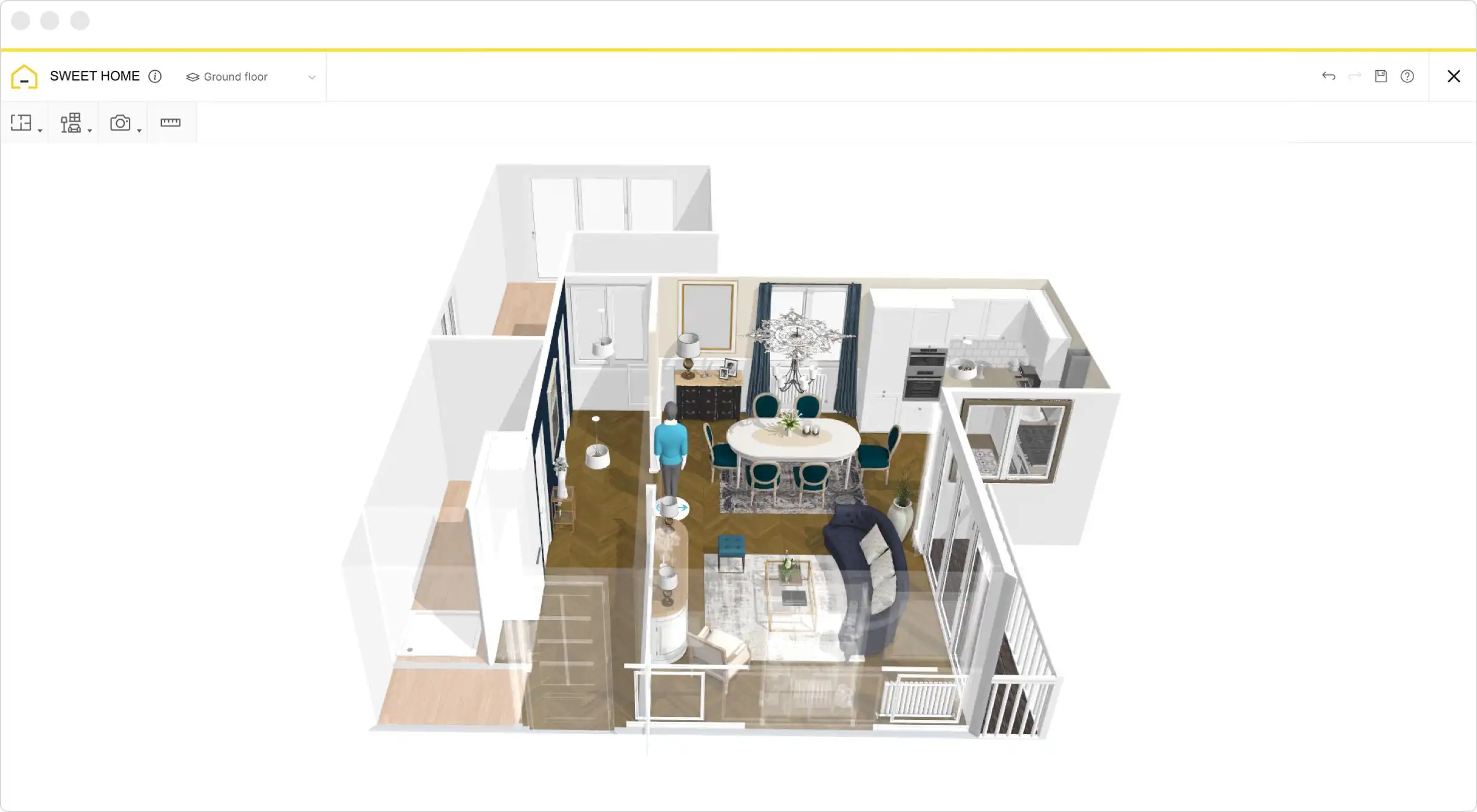
Best for: Decorating projects where furniture, materials, and visual presentation matter.
HomeByMe combines floor-plan creation with 3D interior visualization. Its free Starter plan includes two projects, unlimited 2D and 3D screenshots, and five Full HD images, making it useful for experimenting with a limited number of rooms.
The main limitation is project and rendering capacity. If you're planning an entire house or need numerous polished images, check the current upgrade options before starting.
Choose it if: You want to compare furniture and finishes visually before redecorating.
6. magicplan — best for measuring an existing home
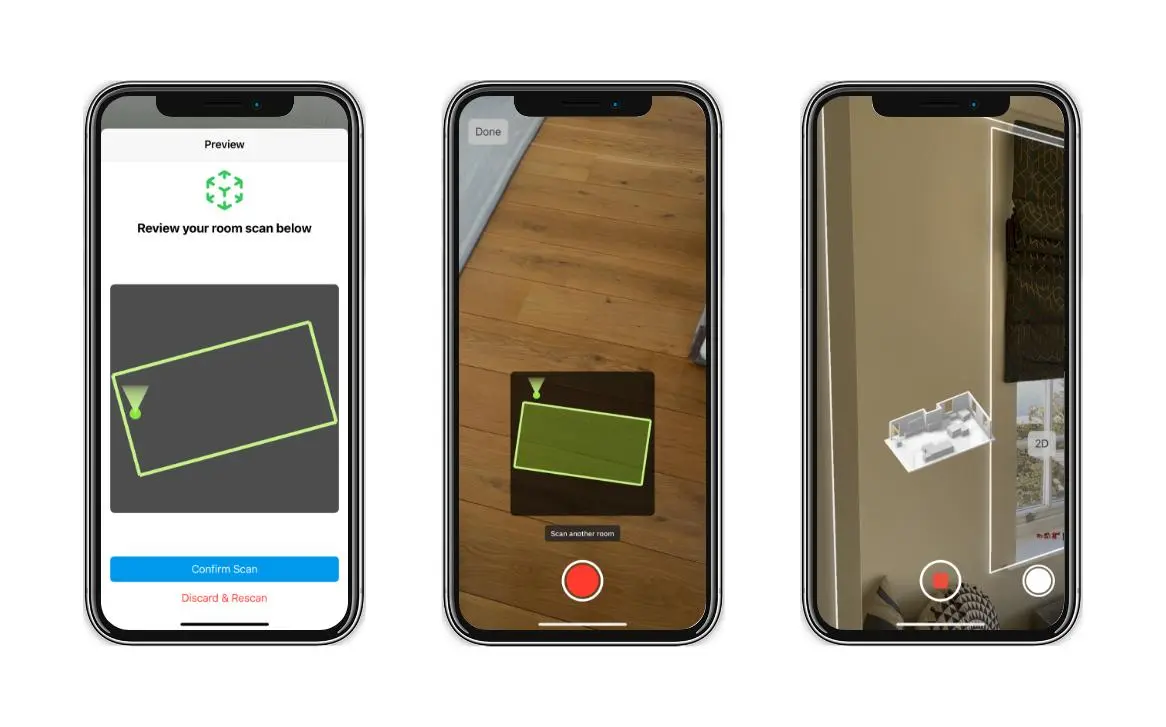
Best for: Homeowners measuring rooms before buying furniture or planning a renovation.
magicplan takes a mobile-first approach to floor planning. Depending on your device, you can scan rooms or create layouts manually, then add objects, photos, notes, and estimates.
Its free Starter plan includes two projects with access to the floor-plan editor, object library, and exports for sketches, reports, and estimates. However, room-scanning capabilities differ by device: LiDAR-based automatic scanning requires compatible Apple hardware, and Android does not support magicplan's AR room-scanning features.
Choose it if: You are measuring an existing space rather than designing a home entirely from scratch.
7. SimpleDraw — best for straightforward 2D layouts
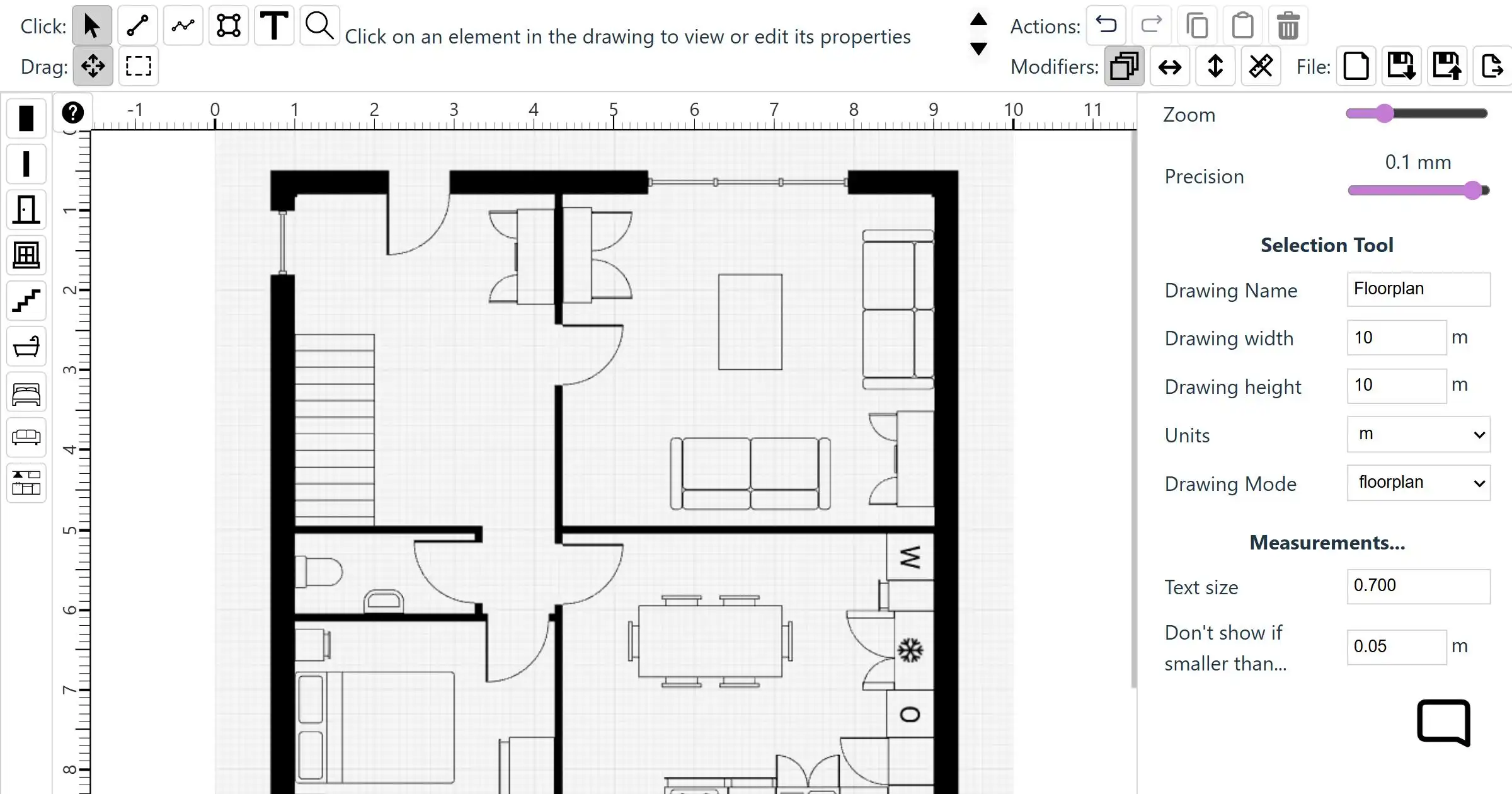
Best for: Homeowners who want a simple, measured drawing without a complicated design interface.
SimpleDraw focuses on scale drawings rather than elaborate interior renders. You can draw walls, add doors and windows, specify measurements, save drawings to your computer, and export PNG images.
The basic drawing tools are free, with no account or software installation required. Its optional Plus plan adds features such as 3D and VR walkthroughs, tracing over existing plans, and cloud storage. The browser editor is designed for computer use rather than touch-only editing.
Choose it if: You need an uncomplicated 2D plan to test room dimensions and furniture placement.
How to choose the right free floor plan app
Match the software to the task you need to complete:
Rearranging furniture: Start with Floorplanner or Planner 5D.
Planning a full home layout without a subscription: Consider Sweet Home 3D.
Checking exact room dimensions: Try RoomSketcher or SimpleDraw.
Measuring rooms on site: Consider magicplan, checking device compatibility first.
Previewing decorating ideas: Explore HomeByMe or Planner 5D.
Before committing to an app, test one room and confirm that you can save your project and export a useful file. A free editor is less helpful if the final drawing you need is locked behind a paid plan.
For renovation work, also remember that a floor-plan app is a planning aid, not a substitute for verifying measurements, checking building requirements, or obtaining professional drawings when your project requires them.
FAQ
Are free floor plan apps really free?
Some are genuinely free desktop programs, while others offer free online accounts with restrictions. Sweet Home 3D's desktop edition is open source; Floorplanner, Planner 5D, and RoomSketcher use free tiers with feature or output limitations. Always distinguish a permanent free plan from a time-limited trial.
Can I create a 3D floor plan for free?
Yes. Sweet Home 3D supports 3D visualization, Floorplanner provides free standard-definition 3D images, and Planner 5D offers draft screenshots on its Basic plan. The ability to create a 3D view does not necessarily mean high-resolution renders or watermark-free exports are free.
Can I use a free floor plan app for a home renovation?
Yes, for preliminary planning. You can test room arrangements, check furniture clearances, and communicate your ideas. Before construction, verify dimensions on site and consult qualified professionals for structural changes, permits, electrical work, or plumbing as appropriate.





