5 Best Free Adobe Illustrator Alternatives in 2026

If you're looking for a free Adobe Illustrator alternative, Inkscape is the best starting point for most desktop vector-design tasks. It's free, open-source, and designed for creating scalable graphics such as logos, icons, illustrations, and diagrams. If you prefer working in a browser or collaborating with a team, Penpot or Figma may be a better fit.
The right choice depends on what you design, which operating system you use, and whether you need to open existing Illustrator files.
Best Free Adobe Illustrator Alternatives at a Glance
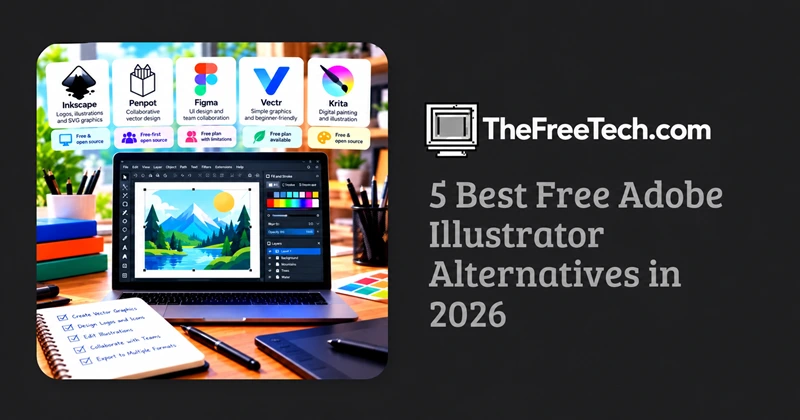
| Software | Best for | Cost model | Main limitation |
|---|---|---|---|
| Inkscape | Logos, vector illustrations, SVG graphics | Free and open source | Some Illustrator files need conversion and cleanup |
| Penpot | Collaborative vector and interface design | Free-first, open-source platform | Not a complete substitute for advanced print workflows |
| Figma | UI design, icons, team collaboration | Free tier with limitations | Not intended to replace every professional illustration feature |
| Vectr | Simple graphics and beginner-friendly editing | Check current plan terms | Less suited to complex professional artwork |
| Krita | Digital painting and hand-drawn illustration | Free and open source | Primarily a raster painting application |
For a genuinely free desktop vector editor, start with Inkscape. Its official website confirms that it is licensed under the GNU General Public License. Download Inkscape.
1. Inkscape: Best overall free Illustrator alternative
Inkscape is the strongest first choice if you want to create vector artwork without a subscription. It runs on Windows, macOS, and Linux and uses SVG as its native file format.
Best for: Logo design, icons, illustrations, diagrams, and scalable web graphics.
What you can do:
Draw and edit Bézier curves and vector paths.
Combine, subtract, and reshape objects.
Work with gradients, text, layers, and clipping.
Create scalable artwork for websites and print projects.
Export graphics to formats such as PNG and PDF.
Main limitation: Inkscape does not reproduce every Illustrator feature or effect. Complex .ai files may lose editability or require manual adjustments.
Verdict: Choose Inkscape if you want a powerful, free desktop application rather than a limited free trial.
Official website: Inkscape
2. Penpot: Best for collaborative vector design
Penpot is a browser-based design platform with vector-editing capabilities and collaborative workflows. It's particularly useful for teams working on interface layouts, design systems, icons, and web graphics.
Best for: UI/UX design, product interfaces, wireframes, and collaborative projects.
Why consider it:
Work on designs through a browser.
Collaborate with teammates on shared projects.
Create vector shapes and reusable interface components.
Use an open-source platform rather than relying exclusively on proprietary design software.
Main limitation: Penpot is focused on product and interface design, not on reproducing every advanced Illustrator illustration or print-production workflow.
Verdict: Choose Penpot if collaboration and interface design matter more than matching Illustrator's complete toolset.
Official website: Penpot
3. Figma: Best for vector graphics used in digital products
Figma includes vector drawing tools within a broader interface-design environment. It can be useful for creating icons, interface illustrations, diagrams, and assets that need to work alongside web or mobile designs.
Best for: Web design, mobile interfaces, icon systems, and team-based digital projects.
Advantages:
Browser-based access and collaborative editing.
Vector tools integrated with interface-design features.
Convenient sharing and feedback workflows.
A free Starter plan for projects that fit its current limits.
Main limitation: Its free plan has restrictions, and its feature set is optimized for interface design rather than complex illustration or print production.
Verdict: Choose Figma if your vector graphics are part of a website, application, or collaborative product-design project.
Official website: Figma
4. Vectr: Best for simple vector graphics
Vectr is worth considering if you want a relatively straightforward way to make basic vector graphics without learning a professional illustration application immediately.
Best for: Simple logos, basic illustrations, and everyday graphic assets.
Advantages:
A simpler entry point for beginners.
Suitable for basic shape-based artwork.
Useful when you don't need an extensive illustration toolset.
Main limitation: Before committing to a project, check its current pricing, usage limits, export options, and availability of the specific features you need. Do not assume every feature is permanently free.
Verdict: Consider Vectr for straightforward graphics, but compare its current free offering with Inkscape before choosing it for long-term work.
Official website: Vectr
5. Krita: Best for freehand illustration
Krita is a free, open-source digital painting application. It is especially useful for artists who work with brushes, textures, drawing tablets, and hand-painted artwork.
Best for: Concept art, character illustrations, painting, and textured digital artwork.
Advantages:
Brush-focused drawing and painting tools.
Support for illustration workflows and drawing tablets.
Free desktop software without a subscription.
Main limitation: Krita is primarily a raster painting application, not a direct replacement for Illustrator's path-based vector workflow. It can support vector elements, but it is not the best choice for extensive SVG logo editing.
Verdict: Choose Krita if your priority is drawing and painting rather than creating resolution-independent vector graphics.
Official website: Krita
Which Free Alternative Should You Choose
The best tool depends on the final deliverable.
| Your goal | Recommended tool |
|---|---|
| Create a logo or icon from scratch | Inkscape |
| Edit SVG files on a desktop | Inkscape |
| Design a website or app interface | Figma |
| Collaborate on interface and vector designs | Penpot |
| Create simple graphics with a beginner-friendly workflow | Vectr |
| Paint detailed illustrations | Krita |
For professional printing, check your printer's requirements before switching. Color management, CMYK handling, bleed, font embedding, and PDF export can matter more than how closely an application resembles Illustrator.
How to Switch from Illustrator Without Breaking Your Files
One of the biggest challenges when replacing Illustrator is not drawing new artwork—it's preserving existing projects.
Follow this workflow before migrating your entire library:
Keep a backup of your original files. Do not overwrite your only copy of an Illustrator project.
Test a representative project. Pick a file containing text, gradients, clipping masks, transparency, and any effects you use regularly.
Try SVG for vector artwork. SVG is a practical interchange format for many vector workflows, although it does not preserve every Illustrator-specific feature.
Inspect the converted file. Check typography, line weights, object positions, transparency, and gradients.
Export a test PDF or PNG. Compare the output against the original before using it in a client deliverable or production workflow.
If a project depends on complex Illustrator effects, linked assets, or specific font behavior, retain the original .ai file even if you move the rest of your work to another application.
FAQ
Is there a completely free alternative to Adobe Illustrator?
Yes. Inkscape is a free, open-source vector editor available for desktop operating systems. It is a strong choice for many logo, illustration, and SVG tasks without a paid subscription.
What is the closest free alternative to Illustrator?
For general-purpose desktop vector editing, Inkscape is a strong starting point. However, no free alternative should be assumed to match every Illustrator feature, plugin, file behavior, and professional production workflow.
Can I open Adobe Illustrator files in Inkscape?
Some Illustrator files can be opened or imported, but results depend on the file and how it was saved. Complex effects, fonts, and Illustrator-specific features may not transfer correctly. Test important projects before switching.
Which free alternative is best for logo design?
Inkscape is a good choice because logos are often built from scalable vector paths, shapes, and text. You can export artwork in formats suitable for many web and print applications, subject to the requirements of the final production workflow.
Which alternative works without installing software?
Browser-based tools such as Penpot and Figma can be used without installing a traditional desktop vector editor. Their free plans and feature limits differ, so check the current terms before selecting one for ongoing work.