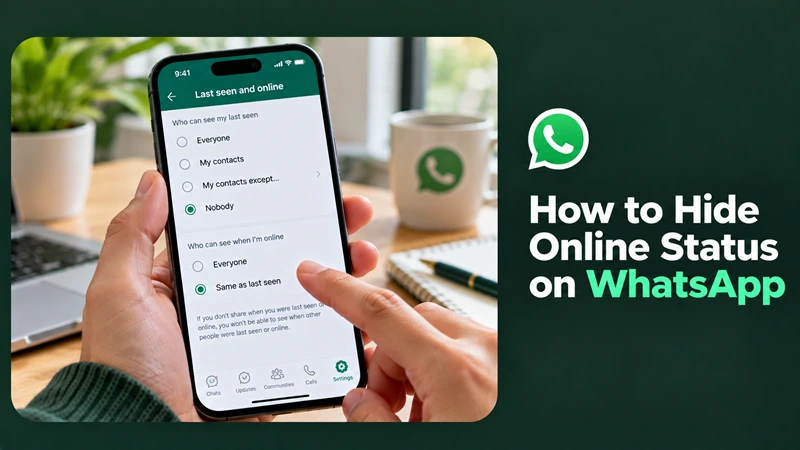
How to Hide Online Status on WhatsApp

To hide your online status on WhatsApp, go to Settings → Privacy → Last seen and online. Set “Who can see my last seen” to Nobody, then set “Who can see when I'm online” to Same as last seen.
This allows you to use WhatsApp without showing other people when you're online or when you were last active.
How to Hide Your Online Status on Android and iPhone
Follow these steps to change your WhatsApp privacy settings:
Open WhatsApp Settings
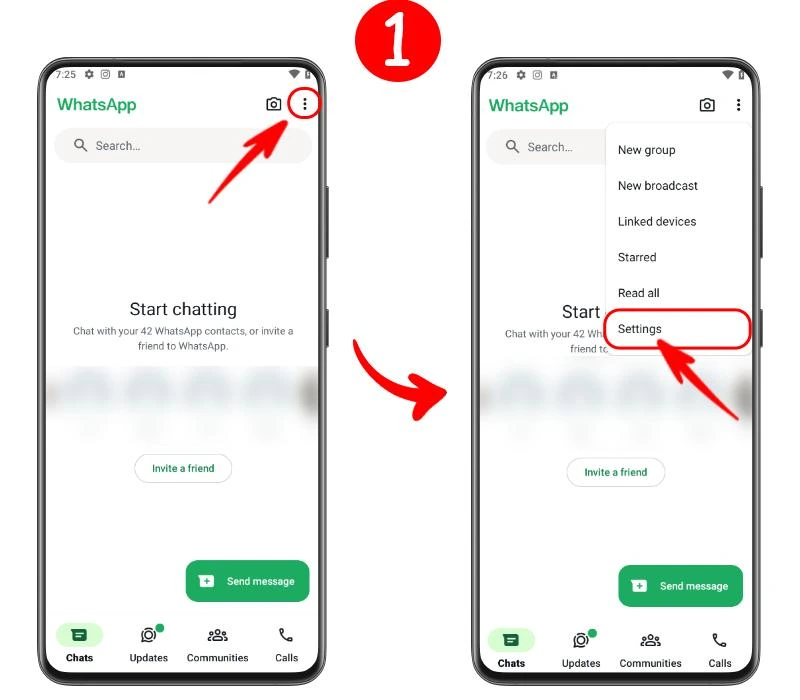
Android: Tap the three-dot menu in the top-right corner and select Settings.
iPhone: Tap Settings in the bottom-right corner.
Go to Privacy
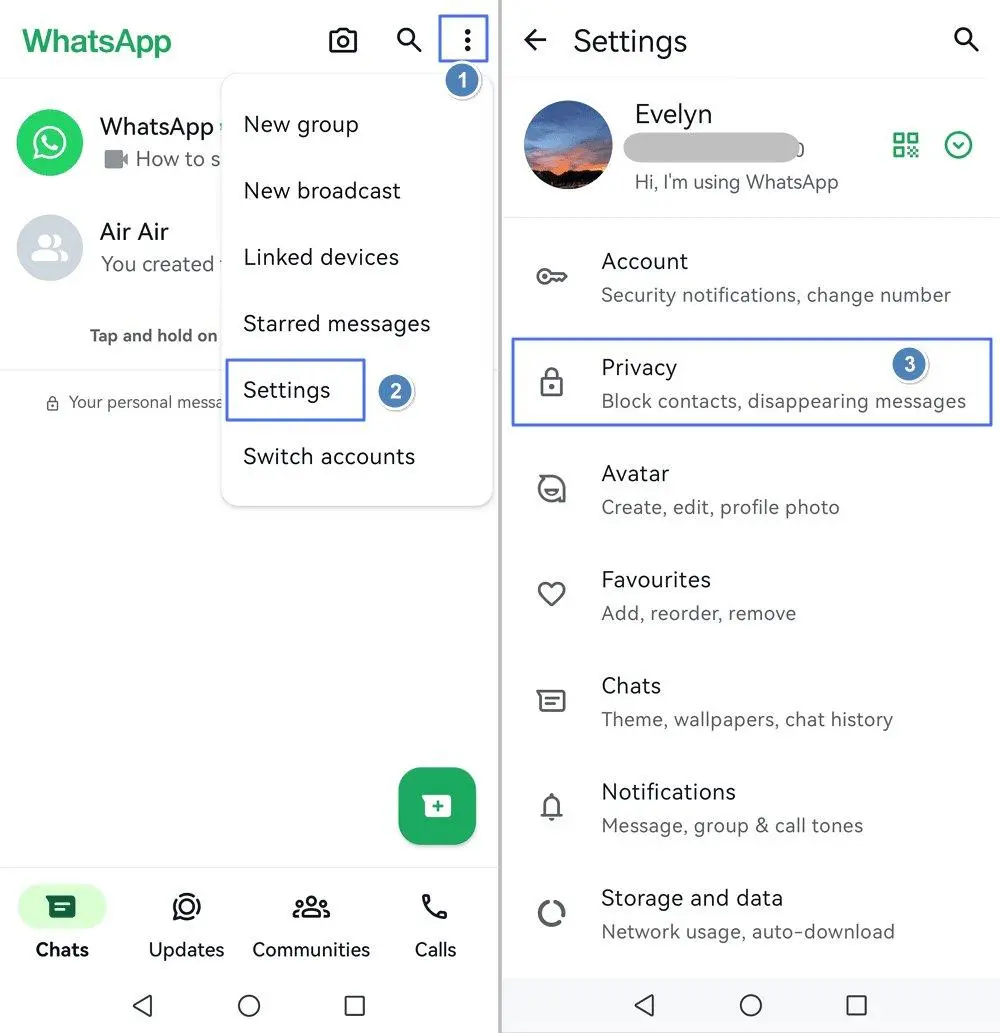
Select Privacy, then tap Last seen and online.
Hide your last-seen status
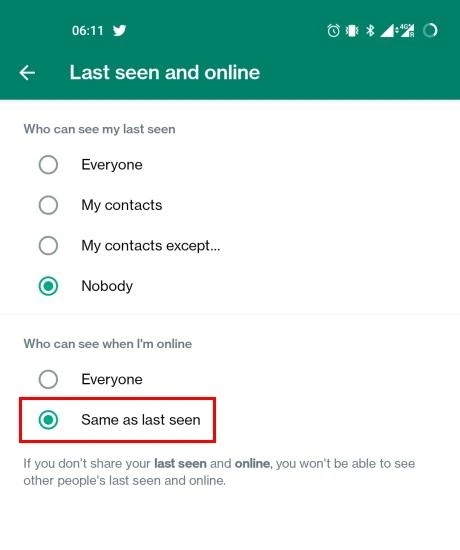
Under “Who can see my last seen,” select Nobody.
Hide your online status
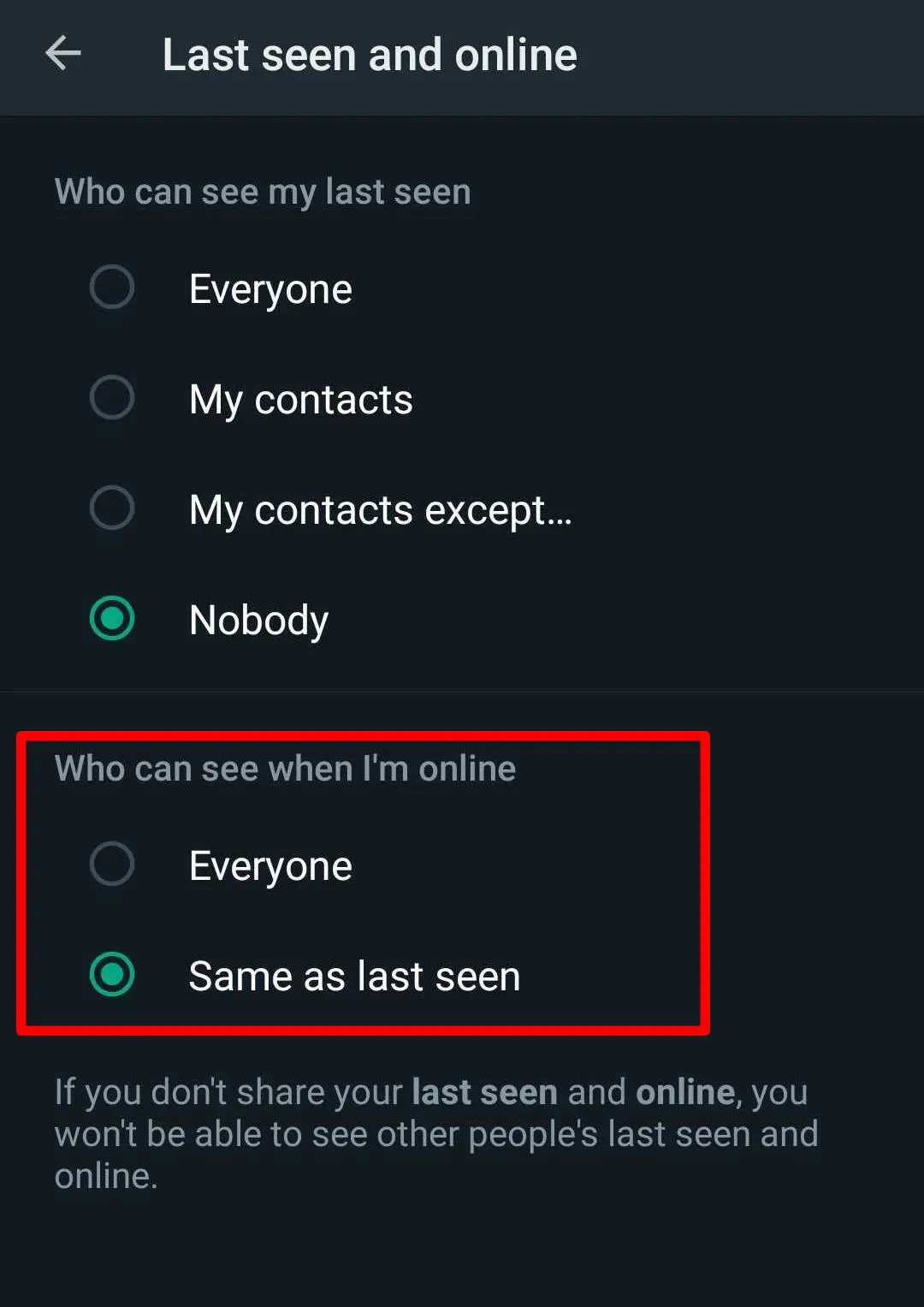
Under “Who can see when I'm online,” select Same as last seen.
Your online visibility will now follow your last-seen privacy setting.
How to Hide Your Online Status From Specific Contacts
You don't have to hide your online status from everyone. WhatsApp provides options to restrict who can see your activity.
Under Settings → Privacy → Last seen and online, you can choose:
My contacts: Only your saved contacts can see your last-seen information.
My contacts except…: Exclude specific contacts.
Nobody: Hide your last-seen information from everyone.
To apply the same restrictions to your online status, select Same as last seen under the online visibility setting.
What Happens When You Hide Your Online Status
Hiding your online status changes who can see your activity, but it doesn't disable WhatsApp.
Messages: You can still send and receive messages normally.
Online visibility: People outside your selected audience won't see your online status.
Last seen: People outside your selected audience won't see when you were last active.
Typing indicators: Other people may still see when you're typing in a chat.
Read receipts: These are controlled separately in Privacy settings.
You may also lose the ability to see other people's last-seen information when you restrict visibility of your own.
FAQ
Can I hide my WhatsApp online status without turning off the internet?
Yes. Change your privacy settings instead of disconnecting from the internet. You can continue using WhatsApp while limiting who sees your online status.
Will hiding my online status stop messages from being delivered?
No. Hiding your online status does not prevent messages from being sent or delivered.
Can people still see when I'm typing?
Yes, typing indicators are separate from online-status visibility, so people may still see when you're typing in an open chat.
Can I hide my online status on WhatsApp Web?
Open Settings → Privacy on WhatsApp Web or Desktop and check the available last-seen and online privacy options. The menu may vary depending on your version.




