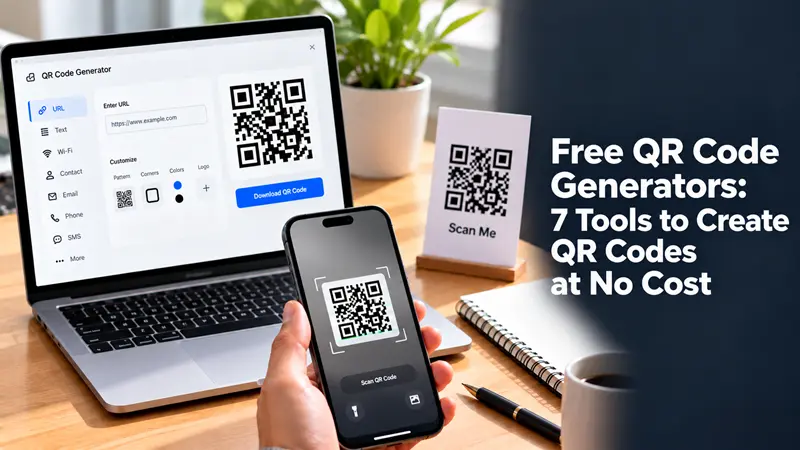
Free QR Code Generators: 7 Tools to Create QR Codes at No Cost

Free QR code generators let you turn a website URL, contact details, Wi-Fi credentials, or other information into a scannable code without paying upfront. However, not every free tool offers the same features. Some provide permanent static QR codes, while others restrict dynamic codes, customization, or tracking to paid plans.
If you need a QR code for a website, business card, restaurant menu, event, or marketing campaign, the right generator depends on what you want to share and whether you need to change the destination later.
7 Free QR Code Generators to Consider
The following tools are worth evaluating for different QR code needs. Check their current free-plan terms before choosing, as features and pricing can change.
1. QR Code Monkey
Best for: Custom-designed QR codes.
QR Code Monkey is an option for users who want to customize the appearance of a QR code. Depending on the available features, you can explore colors, shapes, logos, and downloadable formats.
It can be useful for branded marketing materials, product packaging, flyers, and business cards.
Consider it if: Appearance and downloadable image quality matter more than campaign analytics.
2. Canva QR Code Generator
Best for: QR codes incorporated into designs.
Canva offers QR code functionality within its design platform. This is convenient when creating posters, invitations, presentations, menus, or social media graphics.
Instead of creating a code separately and importing it into another application, you can incorporate it directly into a design workflow.
Consider it if: You already use Canva to produce marketing or promotional materials.
3. Adobe Express QR Code Generator
Best for: Simple QR codes for everyday use.
Adobe Express provides QR code creation as part of its creative tools. It is worth considering for basic links that need to be shared through printed materials or digital designs.
Before downloading, review the available customization and file-export options to ensure they meet your requirements.
Consider it if: You want a straightforward tool within a broader design environment.
4. QR TIGER
Best for: Users exploring dynamic QR codes.
QR TIGER offers QR code solutions that include static and dynamic options, subject to plan restrictions.
A dynamic QR code can point to a destination that you update later without replacing the printed code. This is particularly useful for campaigns, menus, and promotional materials that may change over time.
Consider it if: You may need editable destinations, tracking, or business-oriented features. Verify which capabilities are included in the free plan.
5. ME-QR
Best for: Exploring different QR code content types.
ME-QR offers tools for generating QR codes for different types of information. Depending on the code type and subscription, features may include customization and additional management options.
Review the terms carefully if you need a code to remain available without a subscription.
Consider it if: You want to compare multiple QR code formats in one service.
6. goQR.me
Best for: Basic QR codes.
goQR.me is another option to investigate when you need to convert information into a QR code without using a complex design platform.
Basic QR code creation can be sufficient for website links, simple promotions, or information shared through printed materials.
Consider it if: You want a simple workflow without extensive campaign management.
7. The QR Code Generator
Best for: Comparing basic and business-oriented QR solutions.
The QR Code Generator is a service to consider when comparing straightforward QR code creation with features aimed at businesses and marketing teams.
Pay particular attention to whether the code type you select is static or dynamic, and whether any trial or subscription is required to keep certain features active.
Consider it if: You want to evaluate a tool that offers more than basic QR code creation.
What Makes a QR Code Generator Truly Free
The word “free” can mean different things depending on the provider. A tool may let you generate a code at no cost but restrict the features you can use afterward.
Before creating a code, check these five details:
Static QR codes: Does the code continue to work without a recurring subscription, assuming its destination remains available?
Dynamic QR codes: Can you change the destination after printing, and is this feature included for free?
Expiration: Will the code remain usable after a trial ends?
Downloads: Can you export a sufficiently high-resolution image or vector file without paying?
Tracking: Are scan analytics included, or do they require a subscription?
For many personal projects, a static QR code is enough. Businesses running campaigns that need editable links or scan analytics may need a dynamic QR code service.
Static vs. Dynamic QR Codes: Which Should You Choose
The most important decision is often not which generator to use, but which type of QR code you need.
| Feature | Static QR code | Dynamic QR code |
|---|---|---|
| Destination changes | Usually cannot be changed | Can be changed through the provider |
| Internet connection | Depends on the destination or content | Usually needed to access the linked content |
| Ongoing service dependency | Generally lower | May depend on the provider and subscription |
| Scan analytics | Usually not built in | May be available |
| Best use | Business cards, permanent links, basic information | Campaigns, changing menus, marketing |
| Cost | Often available free | Frequently subject to plan limits |
A static QR code stores its information directly in the code. A dynamic QR code typically directs scanners through a service that manages the destination.
Practical recommendation: For a code printed on hundreds of flyers, menus, or product labels, investigate whether the destination can be changed and what happens if you stop paying. A free static code may be the safer choice when the destination is permanent.
How to Create a QR Code for Free
You can create a basic QR code in a few steps.
Choose a generator. Select a tool that supports your intended content, such as a website link, contact information, or Wi-Fi details.
Enter your information. Paste the correct URL or provide the information the generator requests.
Customize the design. If supported, adjust the colors and appearance while maintaining enough contrast for scanning.
Download the code. Choose a suitable file format and resolution for your intended use.
Test before publishing. Scan the downloaded code with more than one phone if possible. Confirm that it opens the correct destination and remains readable at the intended print size.
For printed materials, test a physical proof rather than relying exclusively on the preview shown on your computer.
How to Choose the Best Free QR Code Generator
Use your intended application to narrow the options.
For a website link: Choose a generator that creates a static QR code without requiring an ongoing subscription.
For business cards: Prioritize a clean design, reliable scanning, and a high-quality download.
For restaurant menus: Consider whether the menu URL will change. If it will, investigate dynamic-code pricing and long-term availability.
For marketing campaigns: Look for editable destinations, analytics, and clear ownership or subscription terms.
For posters and packaging: Check export quality, print readability, and whether the code will continue working for the expected lifespan of the material.
Do not choose a tool based only on how many design options it offers. A simple, high-contrast code that works reliably is often more useful than a heavily customized one that scanners struggle to read.
Common Mistakes to Avoid
Choosing a dynamic code without checking the subscription
A code may continue to exist as an image even when the service behind it stops redirecting scanners. Confirm what happens when a trial expires or a subscription ends.
Making the design too complicated
Low contrast, excessive decoration, or a logo that covers too much of the code can make scanning harder. Keep the code readable and test it after making changes.
Printing without testing
A QR code that works on a monitor may fail when printed too small or placed on a reflective surface. Test the actual printed size and material.
Ignoring the destination URL
A QR code is only as useful as the page it opens. Check that the URL is correct, the destination is accessible on mobile devices, and the page contains the information promised by the printed material.
FAQ
Are free QR code generators safe to use?
They can be, but safety depends on the provider and how you use the service. Use a reputable website, review its privacy policy, and avoid entering sensitive information into an unfamiliar generator. Always scan-test the destination before distributing the code.
Do free QR codes expire?
Static QR codes generally do not expire simply because time passes. However, the linked website can disappear. Dynamic QR codes may depend on a provider's account, subscription, or service terms.
Can I create a QR code without signing up?
Some generators allow basic QR code creation without registration. Others require an account for downloads, saved projects, dynamic codes, or analytics. Check the requirements before spending time customizing your code.
Can I use a free QR code for business purposes?
Often, yes, but verify the provider's terms and any restrictions on commercial use. Also consider whether the code needs to remain functional for years, especially if it will appear on packaging or permanent signage.
Which file format should I download?
PNG is generally suitable for digital use and many everyday projects. SVG or another vector format is preferable when available and appropriate for print designs that need to scale without losing sharpness.




