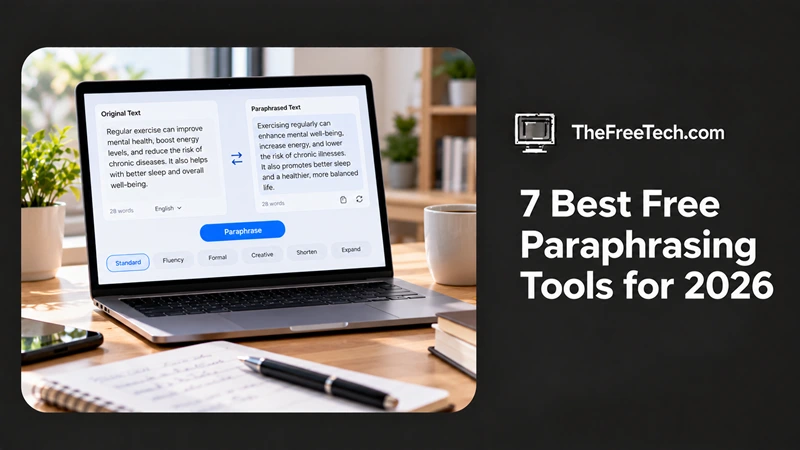
7 Best Free Paraphrasing Tools for 2026

Finding the best free paraphrasing tools can save time when rewriting sentences, improving readability, or adapting content for a different audience. However, not every tool advertised as free offers unlimited rewriting. Some restrict the number of words per request, while others limit writing styles or daily usage.
The best choice depends on what you want to rewrite. Students may need a tool that preserves meaning and supports proper citations, while bloggers, marketers, and everyday writers may prefer flexible rewriting options and quick editing.
This guide compares seven free paraphrasing tools, explains their free-plan limitations, and identifies the best use case for each. The recommendations focus on documented features and access conditions rather than claiming hands-on testing.
Quick Comparison: Free Paraphrasing Tools
| Tool | Best for | Free access and limitations |
|---|---|---|
| QuillBot | General-purpose rewriting | Free, limited to 125 words per submission and two modes. |
| Scribbr | Academic writing | Free rewording tool, no login required, up to 125 words per paragraph. |
| Wordtune | Sentence improvement | Free plan includes limited daily rewrites. |
| Grammarly | Rewriting and grammar | Free paraphrasing access, with additional writing features subject to plan limits. |
| LanguageTool | Grammar-focused editing | Limited free rewriting and editing features. |
| Paraphraser.io | Longer text passages | Free access with mode and word-limit restrictions. |
| DeepL Write | Natural-sounding wording | Free writing assistance with limits that can depend on the product and access method. |
1. QuillBot: Best for General-Purpose Paraphrasing
Official website: https://quillbot.com/paraphrasing-tool
QuillBot is a popular option for rewriting paragraphs, improving sentence flow, and exploring alternative wording without changing the main idea.
The free paraphraser provides two modes: Standard and Fluency. Standard focuses on rewording, while Fluency emphasizes smoother, more grammatically natural writing. Its synonym controls also help users adjust individual word choices.
Free-plan limitations
Up to 125 words per paraphrasing request.
Two paraphrasing modes.
Limited synonym customization.
Premium is required for unlimited input and additional rewriting modes.
Best for: Students, bloggers, and writers who want a straightforward paraphrasing tool for short passages.
Main drawback: Rewriting a long article requires splitting it into smaller sections, which can create inconsistencies in tone.
2. Scribbr: Best Free Option for Academic Writing
Official website: https://www.scribbr.com/rewording-tool/
Scribbr offers dedicated sentence, paragraph, and rewording tools for improving clarity in essays, research papers, and other academic writing.
Scribbr is particularly useful when a writer wants to improve readability rather than replace every word with a synonym. Its interface allows users to choose a rewriting method, adjust synonym levels, and edit the result. The service also provides citation-related resources for academic work.
Free-plan limitations
The rewording tool supports up to 125 words per paragraph.
No login is required for the free rewording tool.
The tool can be used repeatedly, although each passage must fit within the input limit.
Best for: Students, researchers, teachers, and writers who want to improve sentence structure while retaining the original meaning.
Main drawback: The short input limit makes it less convenient for rewriting lengthy research papers in a single operation.
One important reminder: paraphrasing a source does not remove the need to cite it. Rewording another author's argument without attribution can still constitute plagiarism.
3. Wordtune: Best for Improving Individual Sentences
Official website: https://www.wordtune.com/
Wordtune is designed to help writers express the same idea more clearly, change tone, and explore alternative sentence constructions.
Rather than relying only on synonym replacement, Wordtune offers alternative phrasings that can help make sentences more formal, conversational, or concise. It is especially useful when a sentence is grammatically correct but sounds awkward or repetitive.
Free-plan limitations
The free plan has a limited daily allowance for rewrites and AI suggestions.
Account registration may be required.
Higher usage and additional capabilities are available through paid plans.
Best for: Professionals, students, and content creators polishing individual sentences.
Main drawback: Daily limits make it less suitable for rewriting multiple full-length articles every day.
4. Grammarly: Best for Paraphrasing Alongside Grammar Correction
Official website: https://www.grammarly.com/
Grammarly combines writing assistance with grammar correction, making it useful when rewriting is only one part of the editing process.
Its paraphrasing functionality can help generate alternative expressions, while its wider writing tools support editing across different contexts. Grammarly is worth considering when you want to improve wording and then check spelling, punctuation, and grammar.
Free-plan limitations
Basic rewriting is available through its web tools.
Some AI writing features and more extensive assistance have usage restrictions or require a paid plan.
Availability can differ between the standalone paraphrasing tool and Grammarly's broader AI writing features.
Best for: Writers who want paraphrasing and proofreading in one workflow.
Main drawback: If your only goal is rewriting long passages at no cost, a dedicated paraphraser may be more convenient.
5. LanguageTool: Best for Grammar-Focused Paraphrasing
Official website: https://languagetool.org/paraphrasing-tool
LanguageTool combines paraphrasing with grammar, spelling, and style correction.
It is useful when you want to rewrite a sentence while also making it simpler, more formal, or more concise. Its paraphrasing tool offers several tone options and supports multiple languages.
Free-plan limitations
Three paraphrasing uses per day for basic users.
Unlimited paraphrasing requires Premium.
An account is needed to use the paraphrasing feature through its supported extensions.
Best for: Writers who want to improve clarity and correctness together.
Main drawback: The daily paraphrasing allowance is restrictive for high-volume content production.
6. Paraphraser.io: Best for Longer Passages
Official website: https://www.paraphraser.io/
Paraphraser.io offers several rewriting modes for adjusting wording, tone, and sentence structure.
This tool is worth considering when you need to rewrite more than a single sentence. Its advertised modes include Fluency, Standard, Creative, and other styles, depending on the version available.
Free-plan limitations
The registration page lists a 600-word limit.
Advanced features are reserved for paid plans.
The Indonesian-language interface may display a different input counter, so check the limit shown on the version you use.
Best for: Bloggers and general writers who need to rephrase several paragraphs at once.
Main drawback: Free input limits and available modes can vary across pages or versions.
7. DeepL Write: Best for Natural-Sounding English
Official website: https://www.deepl.com/en/write
DeepL Write focuses on grammar, spelling, punctuation, and alternative wording rather than conventional synonym-heavy rewriting.
It is particularly useful for improving the flow of professional emails, articles, and other English-language writing. You can review alternative words and phrases and adjust your writing style or tone. It also supports several other languages, including German, French, Spanish, Japanese, and Korean.
Free-plan limitations
Users without a paid account can process up to 1,500 characters at a time.
Paid plans provide additional capacity and data-security features.
It is primarily a writing-improvement tool, not a bulk article-rewriting platform.
Best for: Professionals and non-native English speakers who want smoother, more natural writing.
Main drawback: Its character limit makes it less practical for rewriting long articles in one pass.
Which Free Paraphrasing Tool Should You Choose
The right tool depends on your writing workflow, not simply the number of features advertised.
For Students and Academic Writing
Choose Scribbr for accessible paragraph rewording, or QuillBot for its two free paraphrasing modes. Always retain citations for borrowed ideas.
For Bloggers and SEO Writers
Try QuillBot for short passages and Paraphraser.io for longer chunks. Review every rewrite for factual accuracy, originality, and consistency with your article's intended search intent.
For Emails and Professional Communication
DeepL Write is a good starting point for natural phrasing, while Wordtune offers alternative sentence structures and tone adjustments.
For Grammar and Readability
Consider Grammarly or LanguageTool if correcting errors is as important as changing the wording.
How to Use Paraphrasing Tools Effectively
Even the best paraphrasing tool can produce awkward wording or change the meaning of a sentence. Use this workflow to get better results:
Start with clear source material. Fix factual errors and confusing sentences before rewriting.
Choose the right mode. Use a fluency-focused setting for readability or a formal style for professional writing.
Compare the rewrite with the original. Check names, numbers, dates, technical terms, and important qualifications.
Edit the result yourself. Remove repetitive phrases and restore your natural writing voice.
Check originality and citations. Rewriting borrowed material does not make the underlying ideas yours. Cite the original source where required.
Avoid rewriting solely to evade AI detectors. Detection results are not a reliable substitute for evaluating accuracy, originality, and authorship.
For SEO content, paraphrasing should be an editing step rather than a substitute for original research. Simply changing words in an existing article rarely adds the unique insights, firsthand information, or useful comparisons that make a page valuable to readers.
FAQ
Are There Any Completely Free Paraphrasing Tools?
Yes. Scribbr advertises free rewording tools without a login requirement, while QuillBot provides a free paraphrasing option with a limited input length and two modes. Free does not necessarily mean unlimited text or unrestricted features.
What Is the Best Free Paraphrasing Tool Without Signing Up?
Scribbr is a strong option because its official rewording tool supports use without registration. DeepL Write also lets users without paid accounts process text up to 1,500 characters per request.
Can Paraphrasing Tools Help Prevent Plagiarism?
They can help you express ideas in your own words, but they cannot guarantee that your work is free from plagiarism. You must still acknowledge borrowed ideas, cite sources, and verify that the rewritten text is genuinely accurate and appropriate.
Are Free Paraphrasing Tools Suitable for SEO Articles?
Yes, they can help refine sentences, reduce awkward wording, and improve readability. However, they should not be used to produce near-identical copies of competing articles. Strong SEO content benefits from original analysis, verified information, useful examples, and a clear answer to the reader's question.
Do Free Paraphrasing Tools Support Languages Other Than English?
Some do. LanguageTool supports multiple languages in its paraphrasing tool, while Paraphraser.io offers an Indonesian-language version. DeepL Write supports multiple languages, although its available writing features differ by language.




