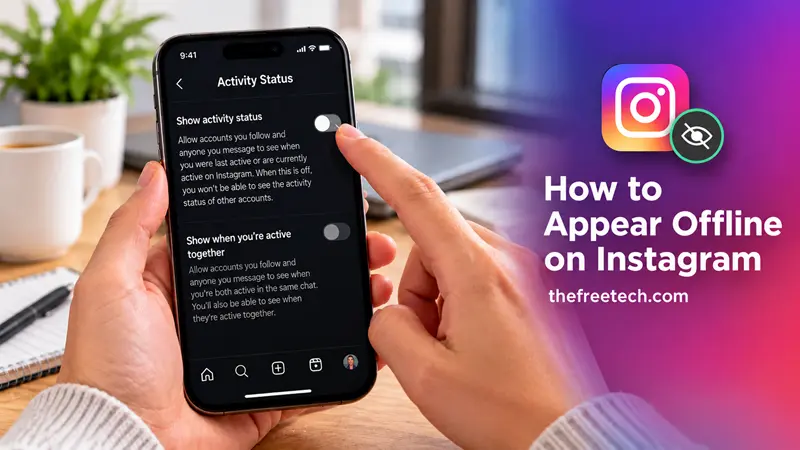
How to Appear Offline on Instagram

To appear offline on Instagram, turn off your Activity Status in your account settings. This hides your green activity dot and the information showing when you were last active from people who can normally see your status. You can still browse Instagram, watch Reels, and send messages without displaying your active status.
How to Appear Offline on Instagram on iPhone and Android
Follow these steps to hide your online status in the Instagram app:
Open Instagram and tap your profile picture in the bottom-right corner.
Tap the three-line menu in the top-right corner.
Open Messages and story replies under the section about how others can interact with you.
Tap Show activity status.
Turn off the Show activity status toggle.
Once the setting is disabled, eligible accounts will no longer see your active or recently active indicator.
Note: Instagram may change its menu labels or layout between app versions. If you cannot find the setting, look for Activity Status in your settings.
How to Appear Offline on Instagram on a Computer
You can also hide your Instagram activity status through a web browser.
Visit Instagram.com and log in.
Click More in the bottom-left corner.
Select Settings.
Open Messages and story replies.
Select Show activity status.
Turn off the activity status setting.
Check the setting after making the change to confirm that it is disabled.
What Happens When You Turn Off Instagram Activity Status
Turning off Activity Status changes how your online presence appears, but it does not make your entire account invisible.
Here is what you should know:
Your green dot disappears: People who can normally see your activity status will no longer see the indicator showing that you are online.
Your last-active information is hidden: Your recent activity timestamp will no longer be displayed to those people.
You can still use Instagram: You can browse posts, watch videos, and use Direct Messages as usual.
You lose access to other people's activity status: Instagram also stops showing you when eligible accounts are active or recently active.
This is a useful option if you want more control over your availability without logging out or deactivating your account.
Can You Appear Offline on Instagram While Still Using It
Yes. You can continue using Instagram after turning off Activity Status. The setting controls the visibility of your online presence rather than preventing you from using the app.
However, appearing offline does not mean that every interaction is hidden. People may still see your likes, comments, Story views, or other activity depending on the feature and your account settings. Read receipts and typing indicators are separate from Activity Status.
If your goal is to use Instagram more privately, review your messaging and account privacy settings as well.
Why Can't I Turn Off My Instagram Activity Status
If you cannot find the Activity Status setting or it does not appear to work, try these steps:
Update Instagram: Install the latest available version of the app.
Check the settings menu: Look under Messages and story replies or search your settings for Activity Status if a search option is available.
Check the correct account: If you use multiple Instagram accounts, make sure you have opened the account whose status you want to hide.
Review the toggle again: Return to the Activity Status screen and confirm that the setting remains off.
Menu names and available controls can vary depending on the version of Instagram you use.
FAQ
Can I appear offline on Instagram without turning off Wi-Fi?
Yes. You do not need to disconnect from the internet. Simply disable Activity Status in Instagram's settings.
Can I hide my online status from just one person?
The standard Activity Status setting is not a general per-person offline switch. If you want to limit interactions with a particular account, review Instagram's Restrict and blocking options and their effects before choosing one.
Will people know when I turn off Activity Status?
Instagram does not generally send a notification telling people that you have disabled Activity Status. They simply lose access to your active or recently active indicator where it would normally appear.
Can I turn Activity Status back on?
Yes. Return to Show activity status in your settings and switch it back on. Your activity status can then become visible again to eligible accounts.









